
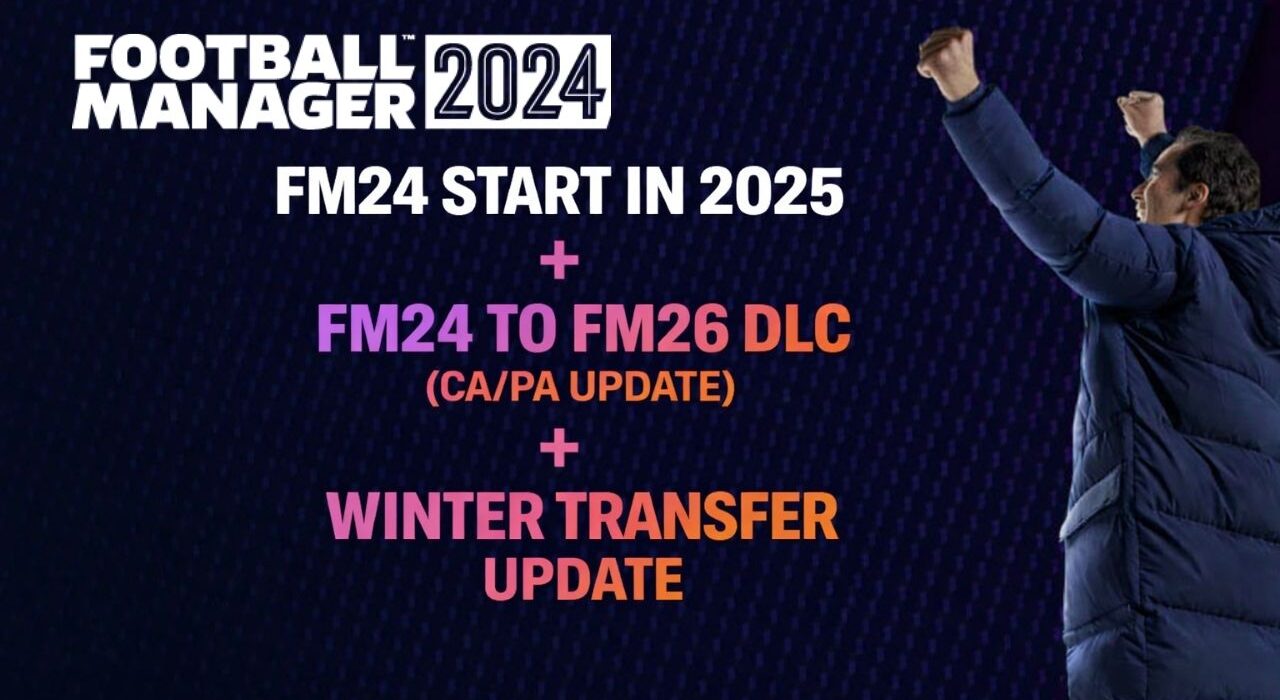
After publishing the FM24 CA/PA update patch on our website, we received one recurring question across our social media channels: “Is it possible to start the 2025–2026 season in FM24?”In this article, we are answering that question in detail.
Yes — you can now start your career in the 2025–2026 season (starting from 2025) in Football Manager 2024. And that’s not all.
This expanded database package includes:
✅ 40,000+ Player CA/PA Updates
✅ 300+ New Wonderkids Added
✅ Updated 2025–2026 Season Fixtures
✅ Option to Start Your Career in 2025
If you’re looking for the most complete FM24 2025 start date patch, this is the all-in-one solution.
A More Comprehensive FM24 Transfer Patch
For players who couldn’t adapt to the interface of Football Manager 26 and returned to FM24 — or for those who don’t yet own FM26 — we continue to provide more advanced and comprehensive FM24 transfer patches.
Instead of just updating transfers, this database brings:
FM26 player Current Ability (CA) and Potential Ability (PA) values into FM24
Updated attributes aligned with FM26 data
A fully refreshed 2025–2026 fixture schedule
The ability to begin your save directly in 2025
This means you can enjoy a near-FM26 experience while staying in Football Manager 2024.
This patch imports the Current Ability (CA) and Potential Ability (PA) values of more than 40,000 players from Football Manager 26 into Football Manager 2024.
In addition to CA/PA changes, the update also includes detailed attribute adjustments. Player stats such as finishing, passing, pace, and other key attributes have been aligned with their FM26 profiles to ensure a more realistic and up-to-date gameplay experience.
We would like to thank 5EDT for creating this highly detailed FM24 CA/PA update and making the FM26 player data available for FM24 users.
Combined with Latest Transfer & 2025 Start Date Patches
In this guide, we will combine:
The 5EDT FM24 CA/PA Update
The latest transfer update published on Sortitoutsi
The updated fixture patch released on FM Scout
The FM24 2025 start date patch
By merging all these files, you will get:
Updated transfers
FM26-based CA/PA values
Updated 2025–2026 fixtures
The option to start your career directly in 2025
The installation steps may seem slightly complicated at first. However, if you carefully follow each step in the exact order provided, you will be able to start your career smoothly without any issues.
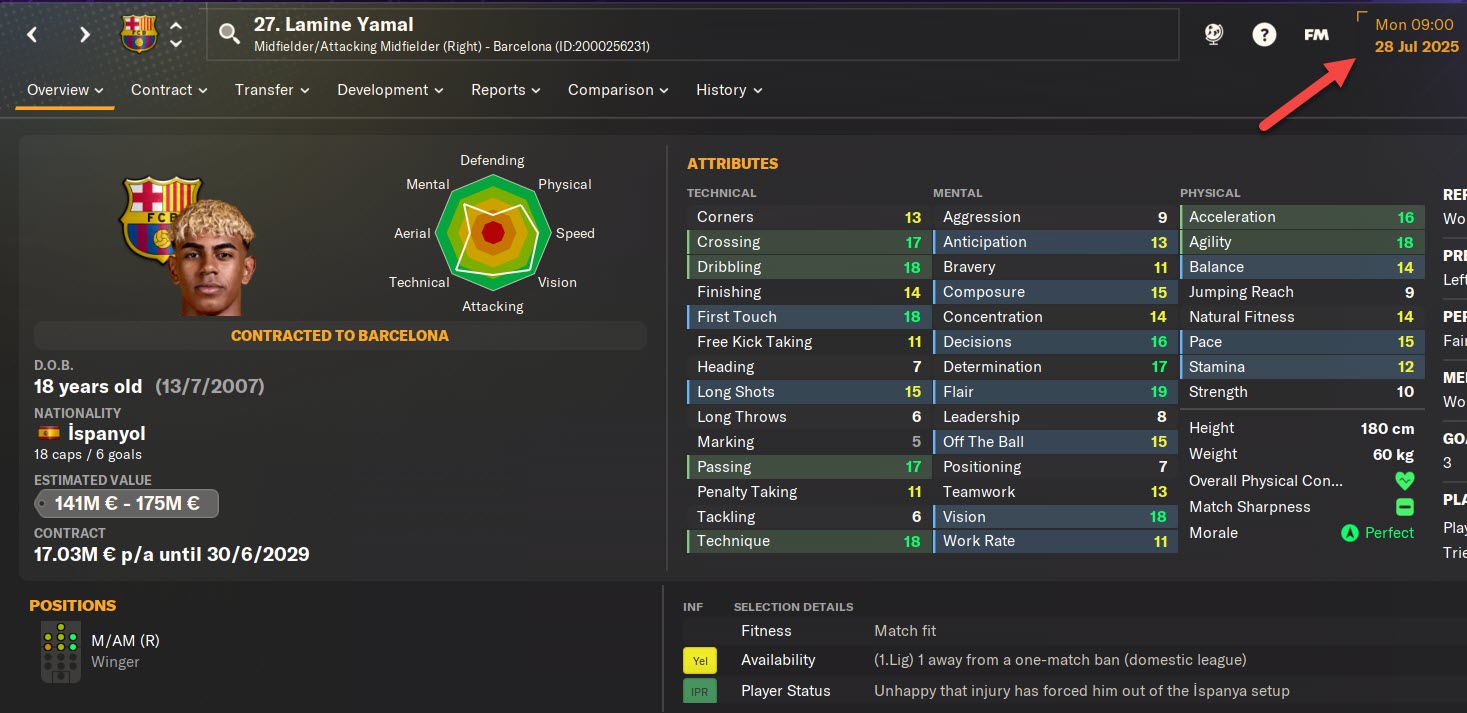
Lamina Yamal FM24 Patched Profile
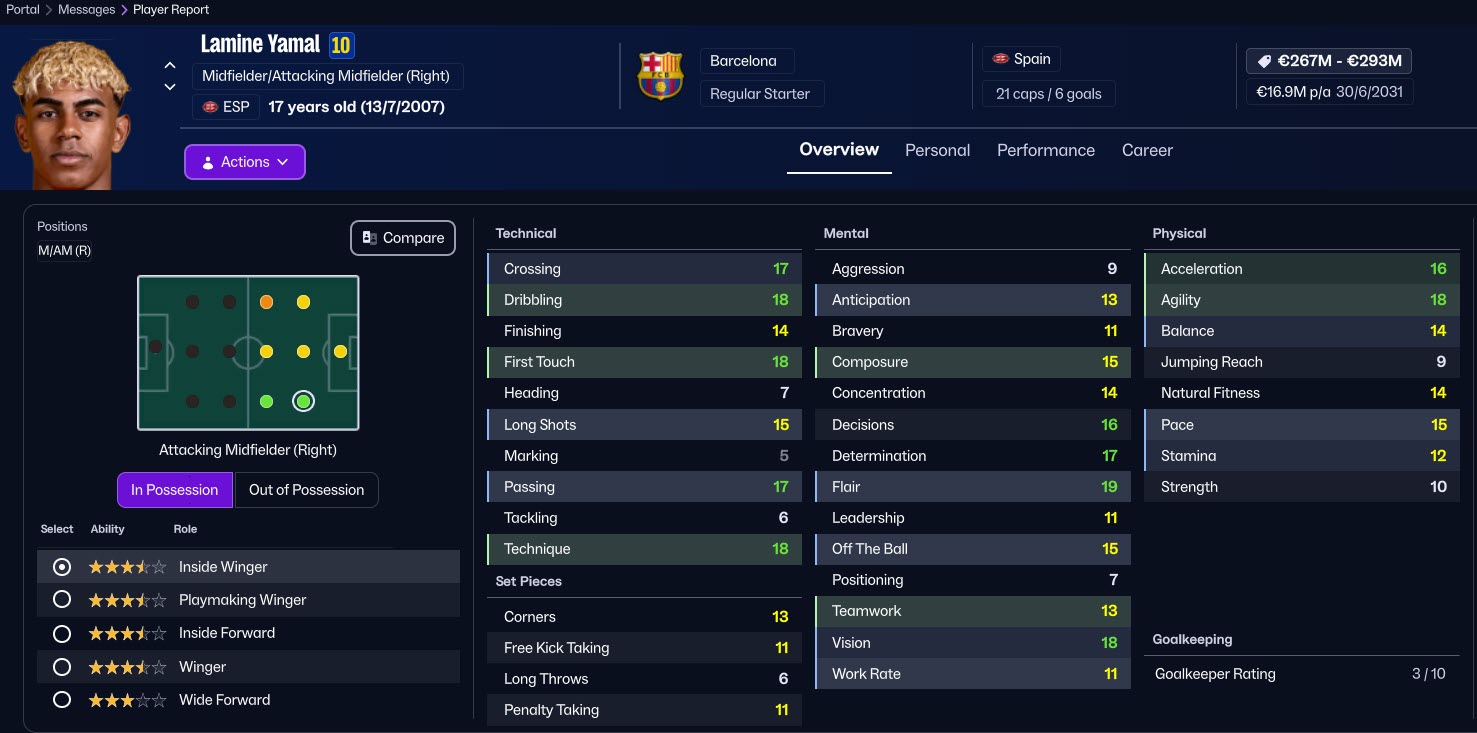
Lamina Yamal FM26 Profile
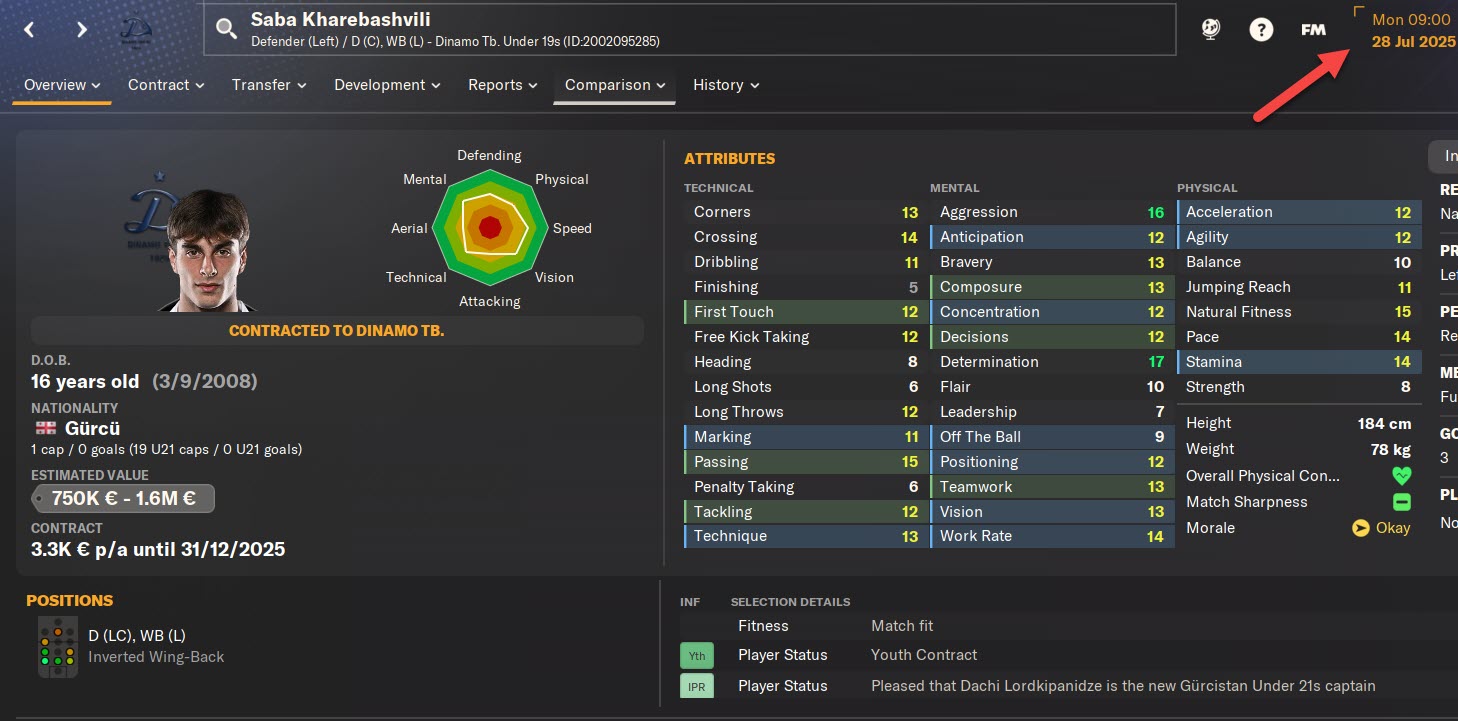
Saba Kharebashvili FM24 Patched Profile
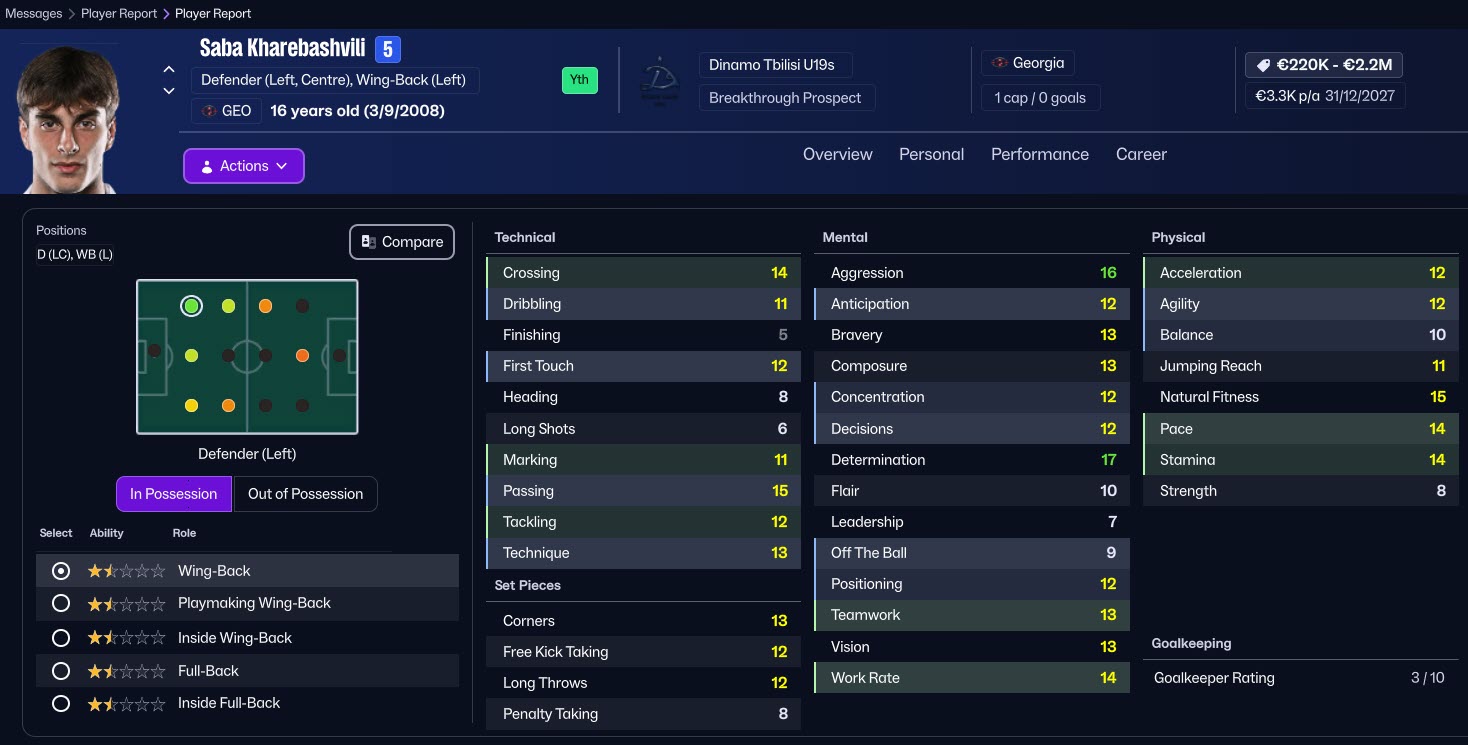
Saba Kharebashvili FM26 Profile
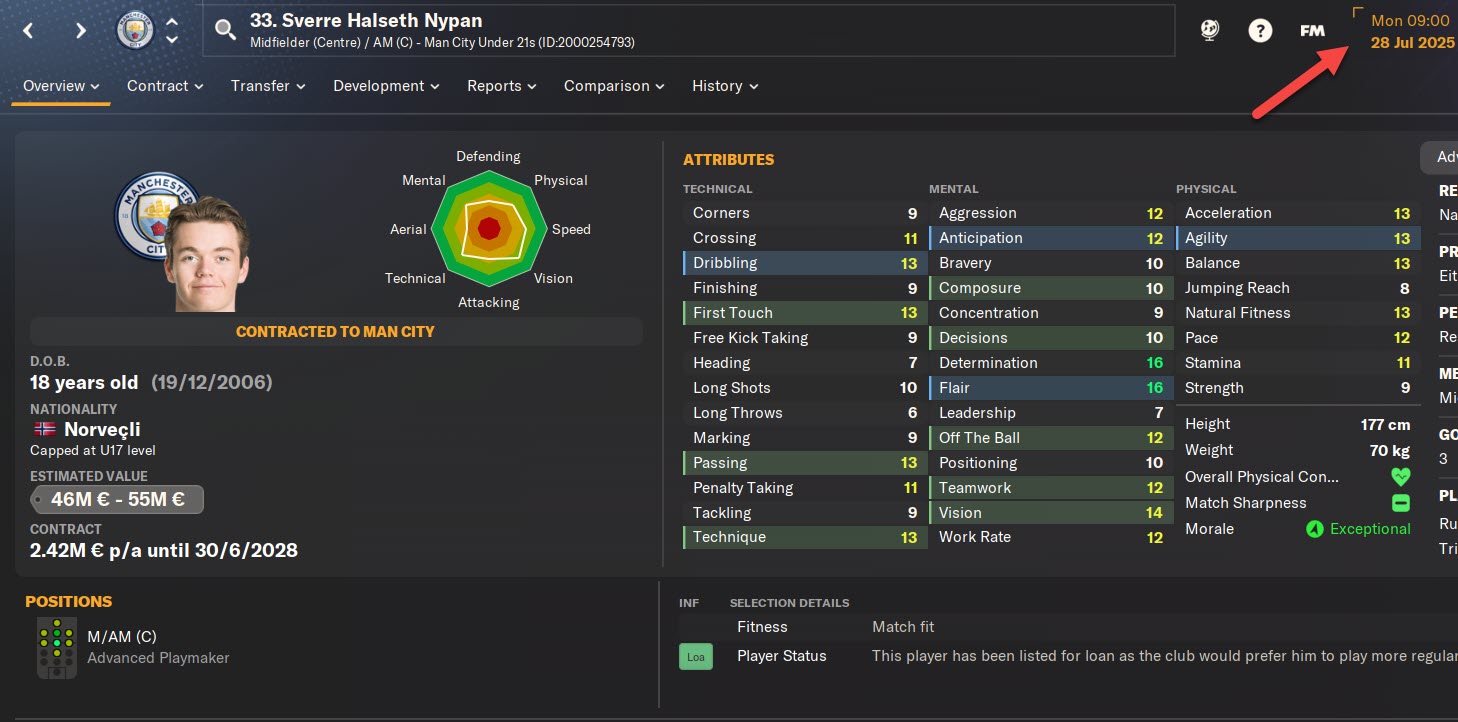
Sverre Halseth Nypan FM24 Patched Profile
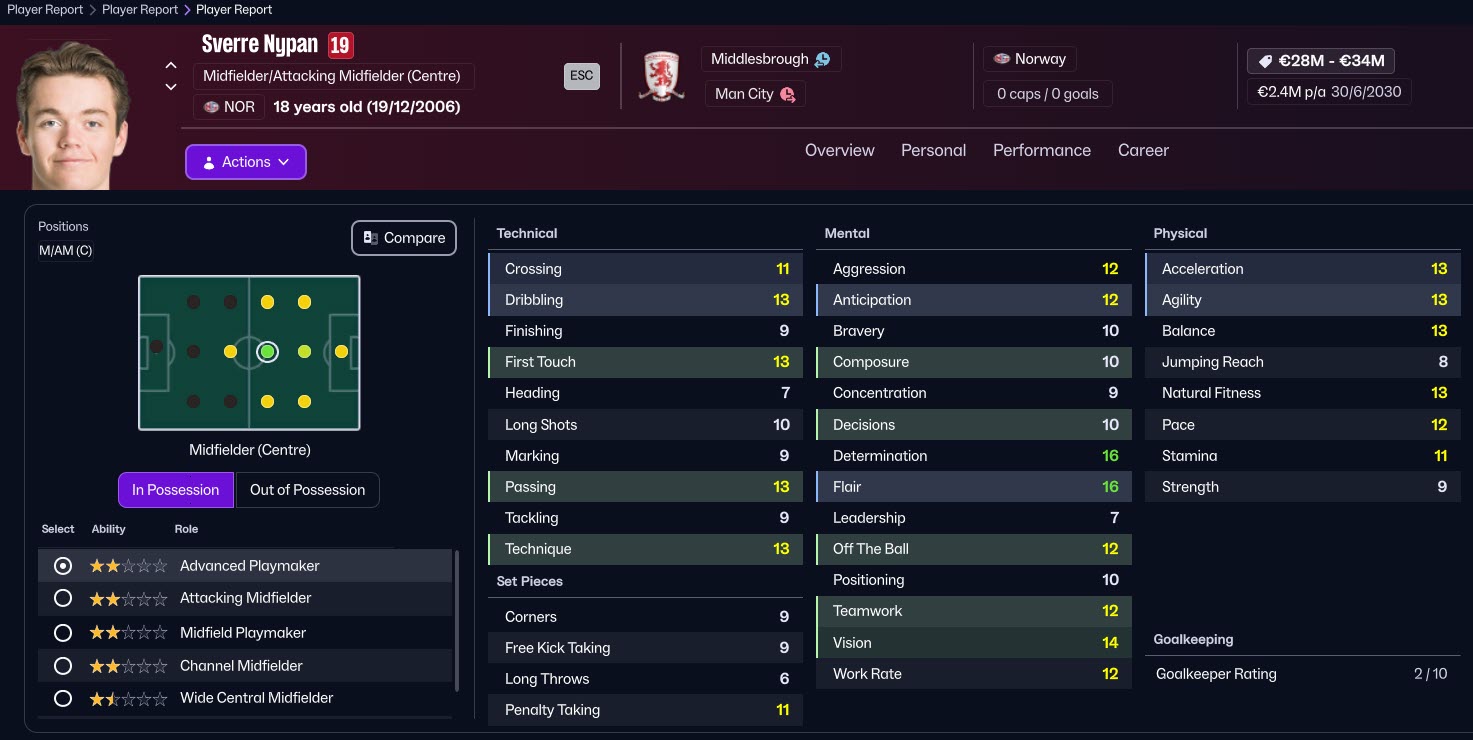
Sverre Halseth Nypan FM26 Profile
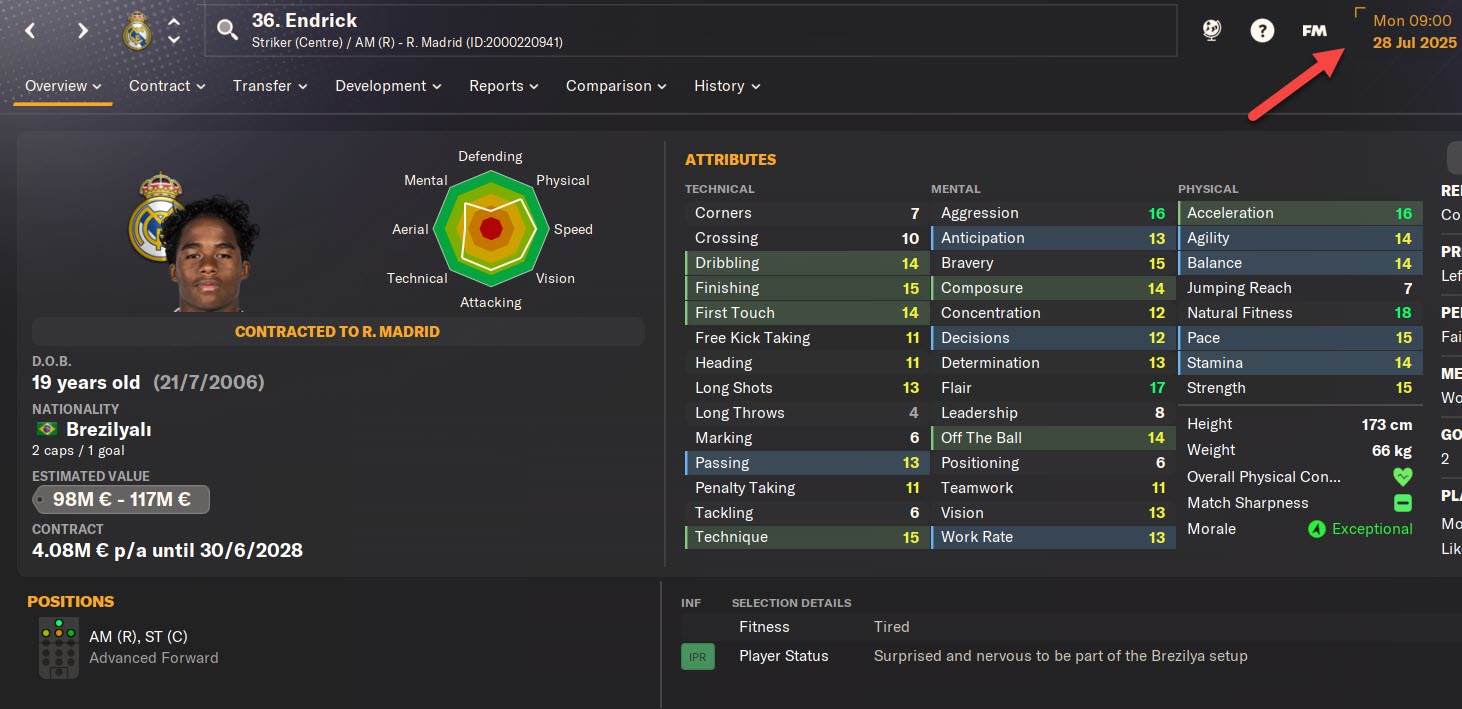
Endick FM24 Patched Profile
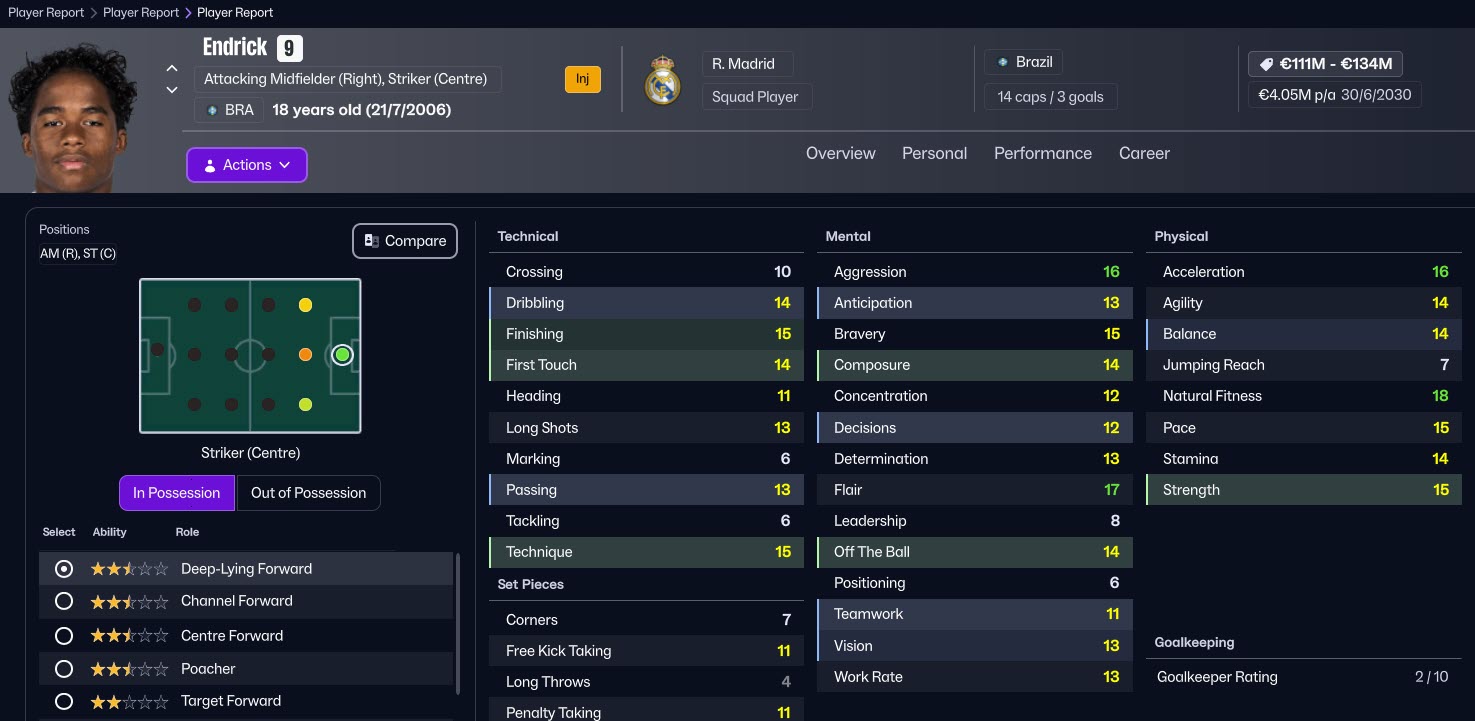
Endick FM26 Profile
FM24 Start in 2025 + CA/PA Update + Latest Transfer Patch + (40,000+ Player CA/PA Update / 300+ New Wonderkids) Installation
— Updated: February 27, 2026 —
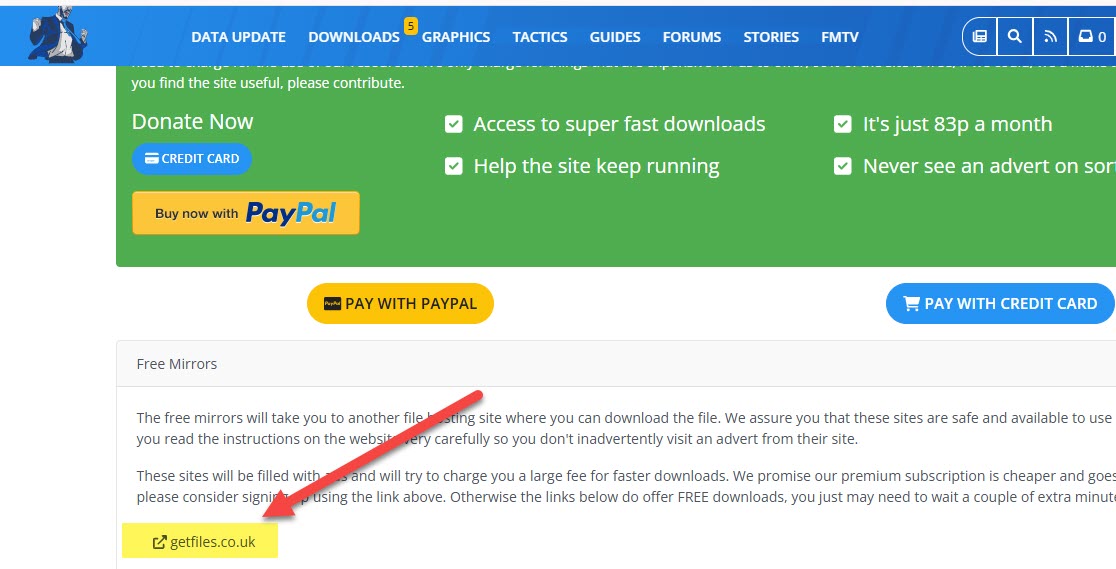
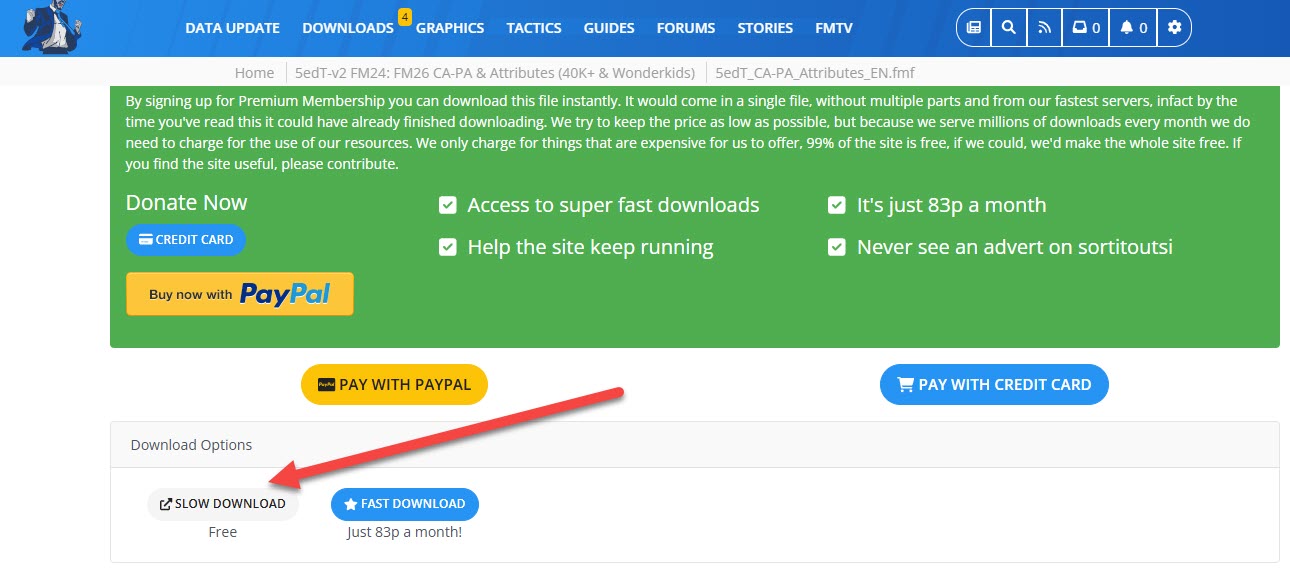
The patch is 100% free. When accessing the download page, make sure to click on the sections labeled “Free Download” or “Slow Download.” These are the correct options to download the files at no cost.
A sample screenshot of the correct download button is shown below for reference.
1) First, click the 5edT_CA-PA_Attributes_EN link as shown in the screenshot on Sortitoutsi and download this patch. We are downloading this patch to bring updates to players’ current and potential abilities to FM24.
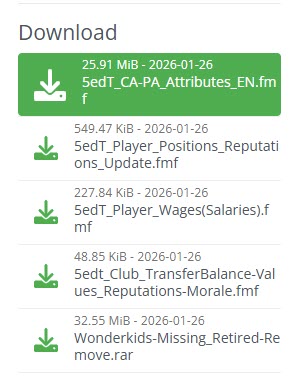
When you download the patch;
- You will have the file 5edT_CA-PA_Attributes_EN.fmf.
You need to place this file into C:/Users/“username”/Documents/Sports Interactive/Football Manager 2024/editor data. (Documents\Sports Interactive\Football Manager 2024\editor data)
2) Now we download the position update so that the positions actively played by players in FM26 are transferred to FM24.
As shown in the screenshot, we download the 5edT_Player_Position_Reputations_Updates.fmf file.
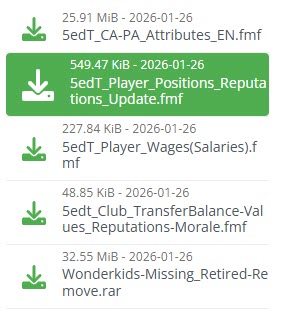
When you download the patch;
- You will have the file 5edT_Player_Positions_Reputations_Update.fmf
You need to place this file into C:/Users/“username”/Documents/Sports Interactive/Football Manager 2024/editor data (Documents\Sports Interactive\Football Manager 2024\editor data)
3) Now it’s time to update the players’ reputation, morale, and market value in FM24. To do this, we download the 5edT_CLUB_TransferBalance-Values_Reputations-Morale file as shown in the screenshot.
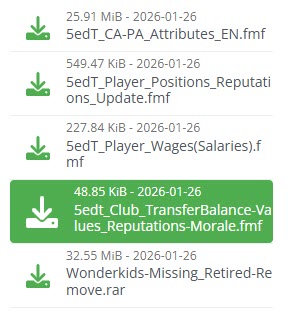
When you download the patch;
- You will have the file 5edt_Club_TransferBalance-Values_Reputations-Morale.fmf
You need to place this file into C:/Users/“username”/Documents/Sports Interactive/Football Manager 2024/editor data (Documents\Sports Interactive\Football Manager 2024\editor data)
4) To add wonderkid players to FM26 who are not present in FM24, we also need to download the wonderkid file.
To do this, download the Wonderkids-Missing_Retired-Remove file as shown in the screenshot. (Click on the one that says “Slow download,” meaning it’s free.)
— This file may conflict with the Sortitoutsi files you will download later. The problem of some young players appearing twice in the game is due to this file. If you encounter such a problem with the team you are playing a career with, you can skip downloading this file.
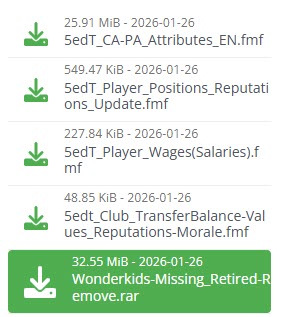
After downloading the patch, extract it to a folder using a file extraction program like WinRAR. Of the extracted files, only the
- 5edT_Wonderkids_Missing_Update.fmf
file needs to be placed in the following location: C:/Users/“username”/Documents/Sports Interactive/Football Manager 2024/editor data (Documents\Sports Interactive\Football Manager 2024\editor data).
The folder also contains the Retired-Remove_ETC_Changes.fmf file, which removes player injuries and retired players from the game database, but you don’t need to use it.
This folder also contains the face patch for the newly added wonderkid players. If you are not using an up-to-date face patch, you can also use this face pack.
5) Now it’s time to bring the updated player salaries from FM26 to FM24.
To do this, we download the 5edT_Player_Wages(Salaries) file as shown in the screenshot.
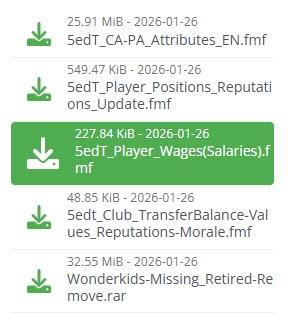
When you download the patch;
- You will have the file 5edT_Player_Wages(Salaries).fmf.
You need to place this file into C:/Users/“username”/Documents/Sports Interactive/Football Manager 2024/editor data. (Documents\Sports Interactive\Football Manager 2024\editor data)
6) Now you need to download the latest transfer patch.
Click here to download the latest FM24 transfer patch
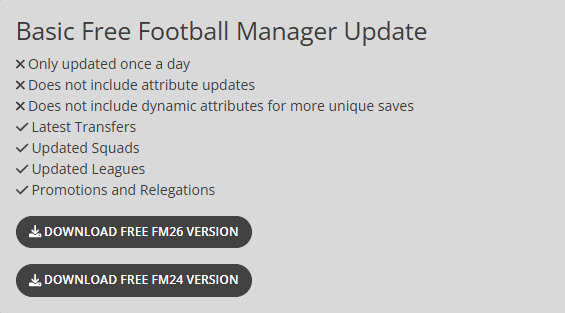
On Sortitoutsi, click on the section that says “Download Free FM24 Version” as shown in the screenshot.
First, extract the file you downloaded from Sortitoutsi to a folder using a file extraction program such as WinRAR. Then, place all the extracted files into the following location: C:/Users/“username”/Documents/Sports Interactive/Football Manager 2024/editor data (Documents\Sports Interactive\Football Manager 2024\editor data).
7) Now we’ll download the patch that starts FM24 from the 2025-2026 season, which is the main topic of this article.
Click here to download the patch to start FM24 in 2025
Click the arrow icon to the right of the link that says “2025-26 Season + Fixture (February Update)” and then click the download button as shown in the screenshot.
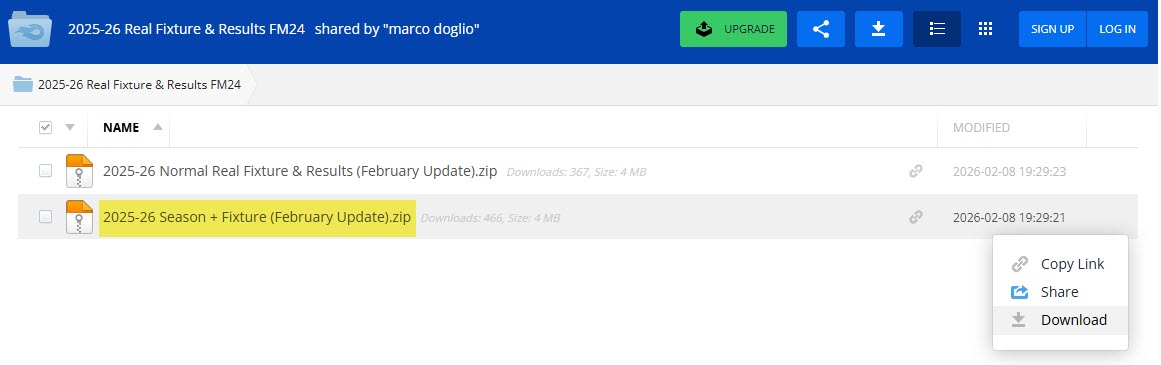
After downloading the patch, extract it to a folder using a file extraction program like WinRAR.
You will have 3 files named:
- Files for FMScout Update
- Files for Sortitoutsi Update
- real_fixture_result_comp_name.lnc
Now let’s detail what we will do with these files.
8) Since we downloaded our current transfer patch from Sortitoutsi,
- We will proceed via Files for Sortitoutsi Update.
Double-click and enter this folder. Now, find the league you want to play your career in among the FMF files that appear. Since we will be playing in English leagues, we will explain the installation steps using England.
Inside the Files for Sortitoutsi Update folder;
- _RR_25_26_England.fmf
You need to place the file in C:/Users/“username”/Documents/Sports Interactive/Football Manager 2024/editor data. (Documents\Sports Interactive\Football Manager 2024\editor data)
9) Now, copy the file you downloaded in the FM24 launch patch for 2025,
- real_fixture_result_comp_name.lnc
to the game’s installation location. Place this file in the C:\Steam\steamapps\common\Football Manager 2024\data\database\db\2430\lnc\all folder.
10) Now open Football Manager 2024 and follow the steps below one by one.
11) First, you need to set the game language to ENGLISH during the installation process. To do this, click the Preferences button on the main page, select ENGLISH in the section where it says game language, and click the Confirm button. A notification message will appear saying “Changing Theme,” and your game language will be English. (After setting up your career, you can play the game again with your DESIRED LANGUAGE OPTION.)
12) Press the “Start A New Game” button.
13) Press the “Career” button.
14) Click on “Database 24.3.0 Update” in the upper right corner of the screen. You will see a total of 64 files in the editor files section. Of these files:
- If you don’t want the players’ birth dates to change by +2 years, uncheck the box next to “FM24 Data Update -+2 Age and Contract Years”. Since we start in 2025, this file is not necessary.
- Because Sortitoutsi’s UK file conflicts with the fixture patch, you will only need to select the fixture file. As shown in the screenshot, there shouldn’t be an exclamation mark. _RR_25_26_England.fmf file must be selected.
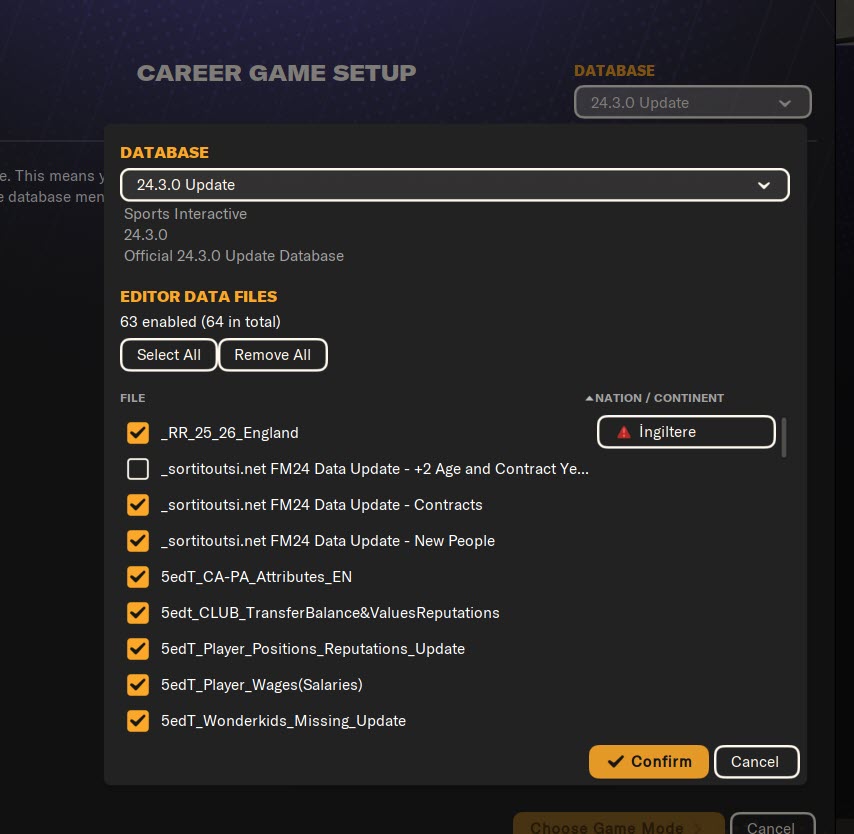
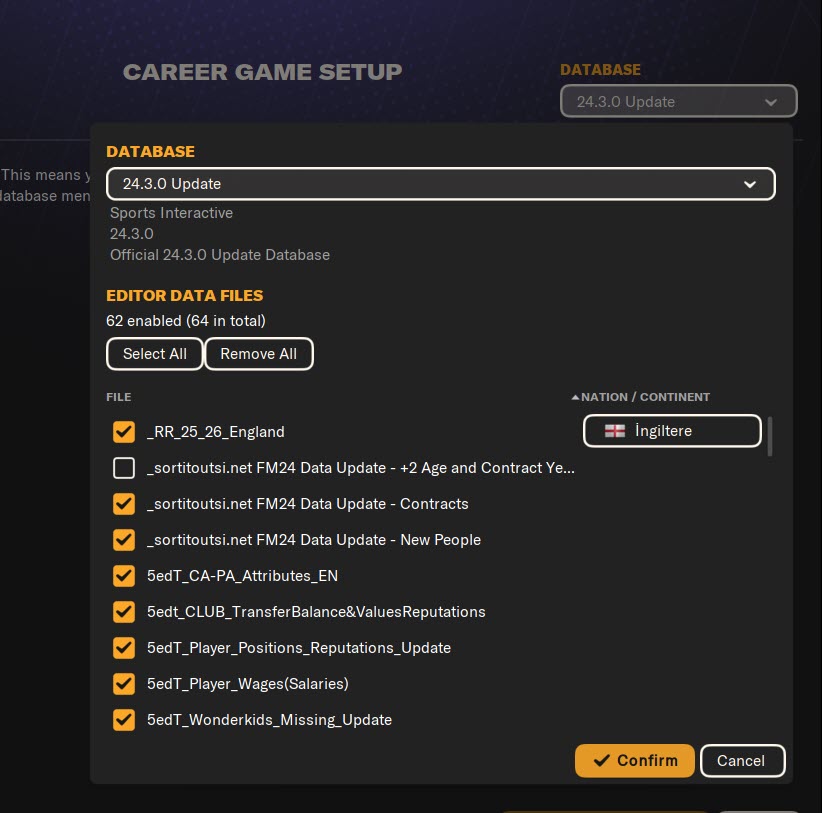
15) Press the Confirm button and then press the Choose Game Mode button.
16) Select Original and press the Advanced Setup button.
17) Select the leagues you want to play in.
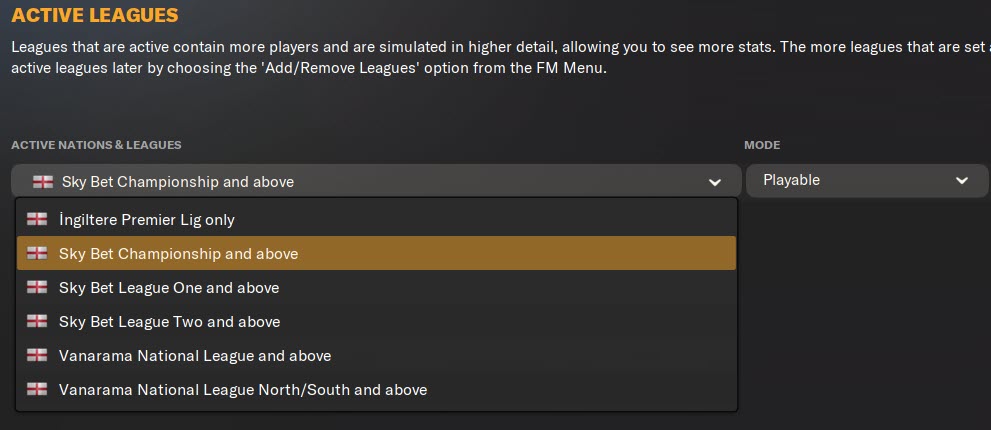
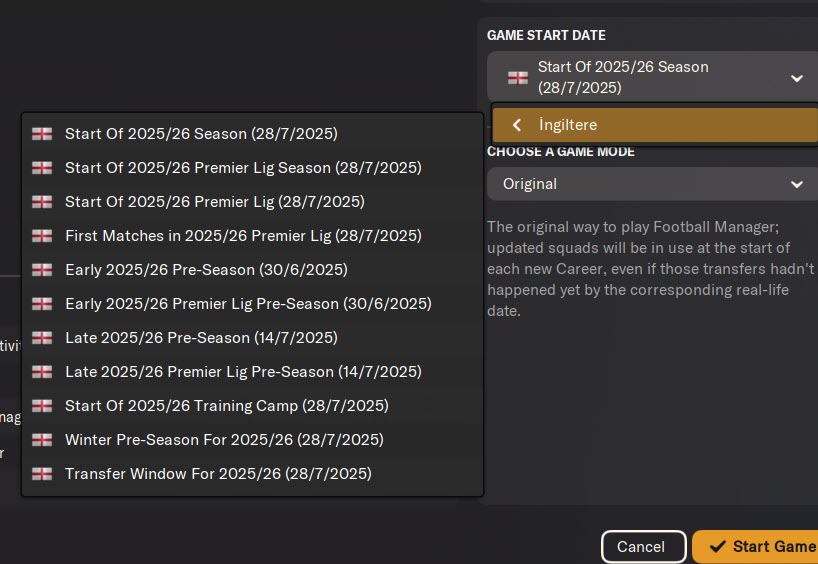
18) Tap Game Start Date in the bottom right corner of the screen and select the date you want to start the game.
- For example, you can select Start Of 2025/26 Season (28/7/2025).
19) After the database setup for the game is complete, select your manager profile and choose the team you want to manage.
20) Now it’s time to set the game language back to YOUR DESIRED LANGUAGE OPTION. Press the FM logo in the upper right corner and click on Preferences on the screen that appears.
21) On the screen that appears, select your DESIRED LANGUAGE in the Game Language field and press the Confirm button.
22) You have activated the CA/PA update + new wonderkids + current transfer patch for FM24. Have a successful career!