

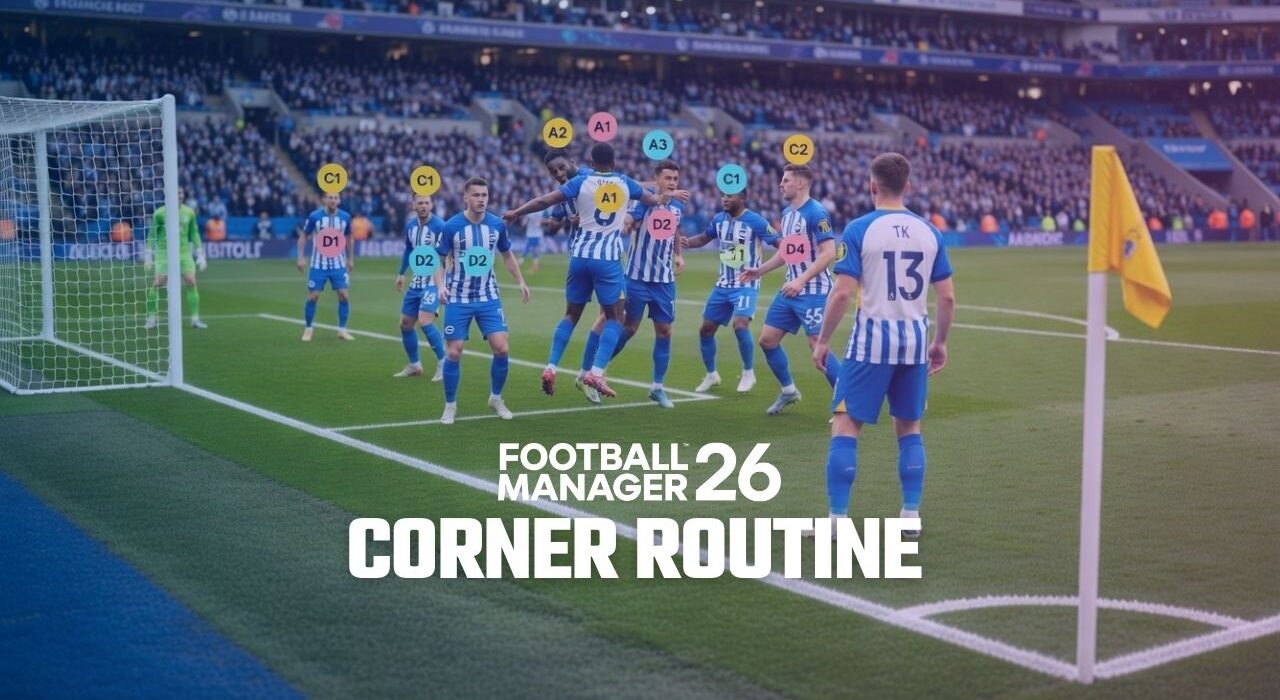
Following the January transfer update in FM26, we continued experimenting with the new match engine using corner routines. With the tactic below, you can gain a serious advantage from set pieces and score more goals from corners.
This short near-post corner tactic is designed to increase scoring chances and create chaos inside the penalty area.
FM26 Corner Tactic Detail
The details of the tactic are as follows:
Cross Type: Towards Goal
Delivery Location: Short
Players Inside the Box: 5 Players
Players Outside the Box: 3 Players
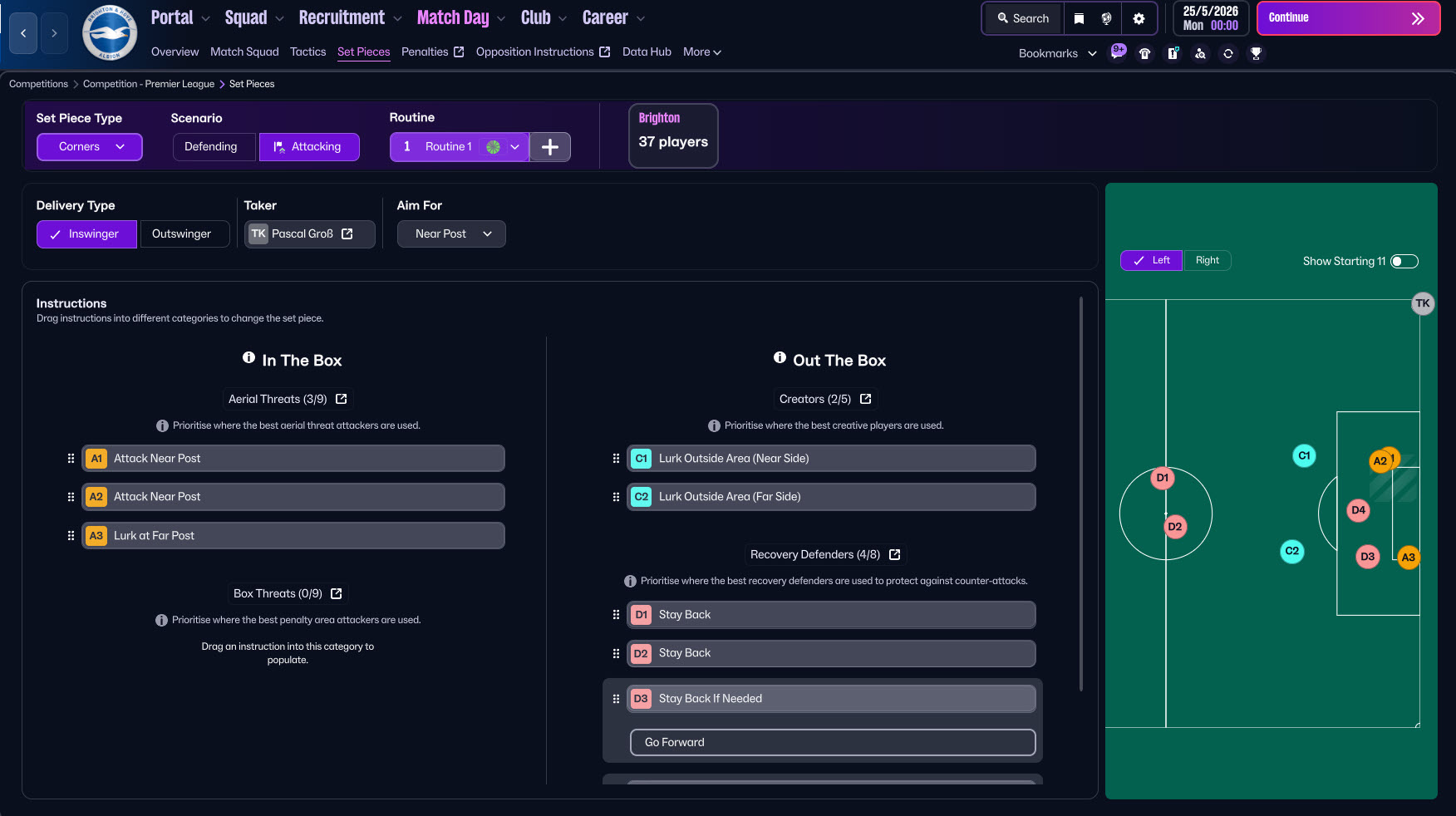 With this setup, most of your players position themselves inside the penalty area to create crowding and second-ball opportunities, while a few players remain outside the box to recycle possession or take long shots.
We tested this FM26 corner tactic in two different teams, and we will share the results and observations with you.
Corner Tactic Test Results – Aston Villa
We first tested this corner routine with Aston Villa in the Premier League.
During a one-season simulation, the results were quite promising:
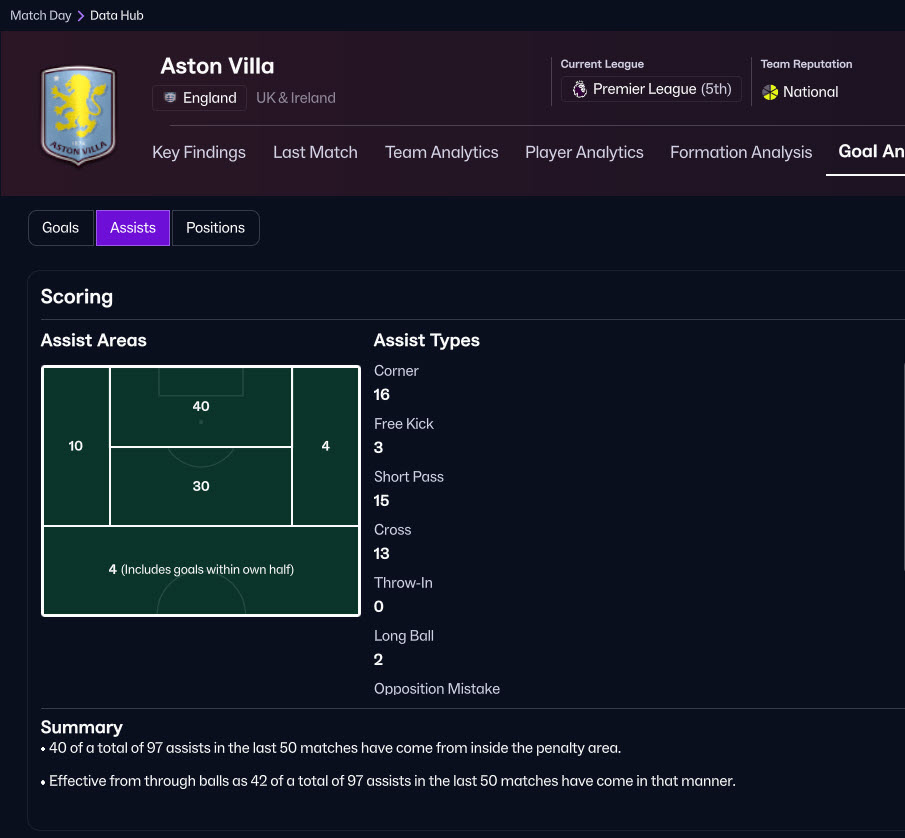
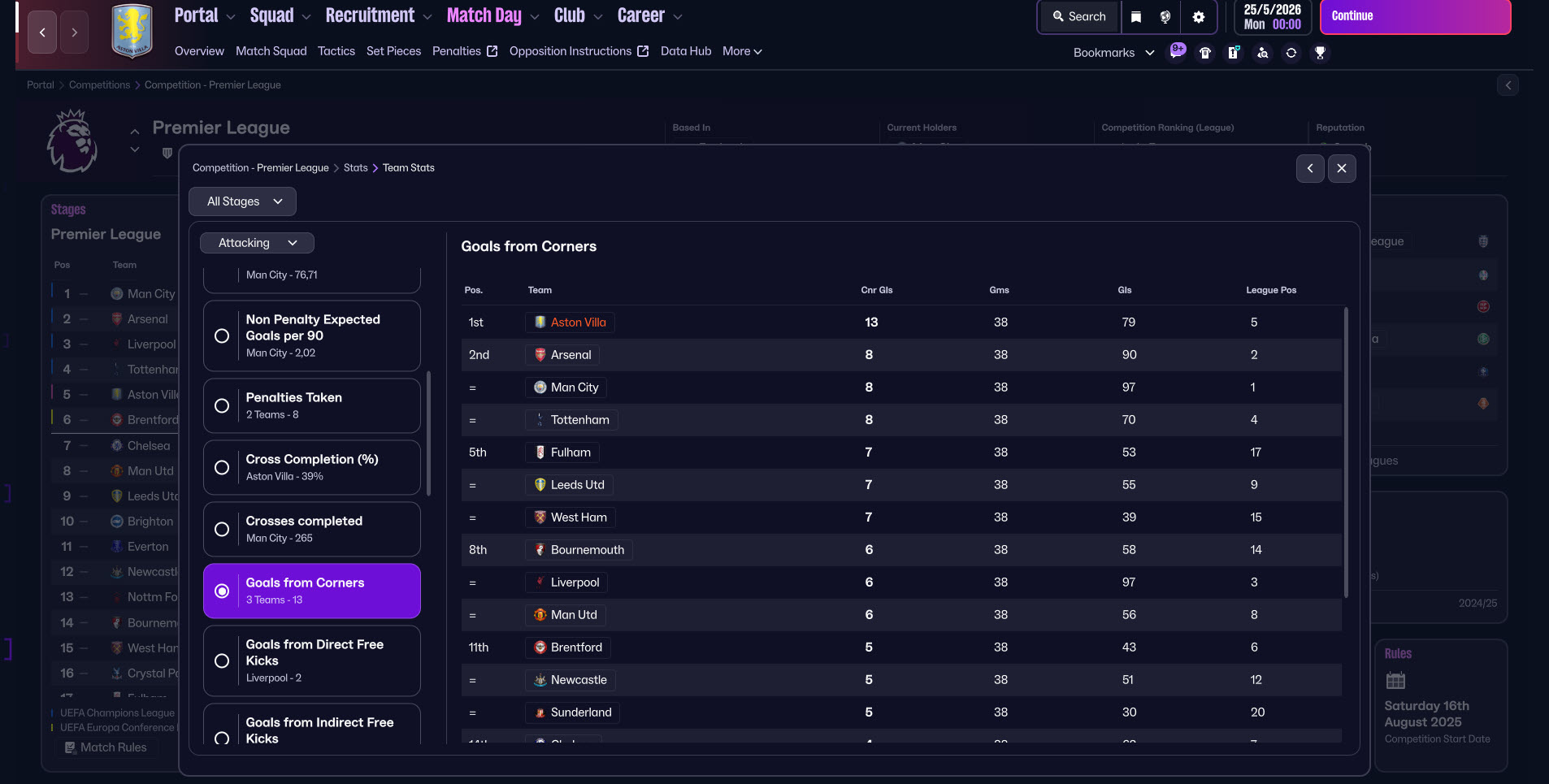
In the Premier League, Aston Villa scored 79 goals in 38 matches, and 13 of those goals came from corners.
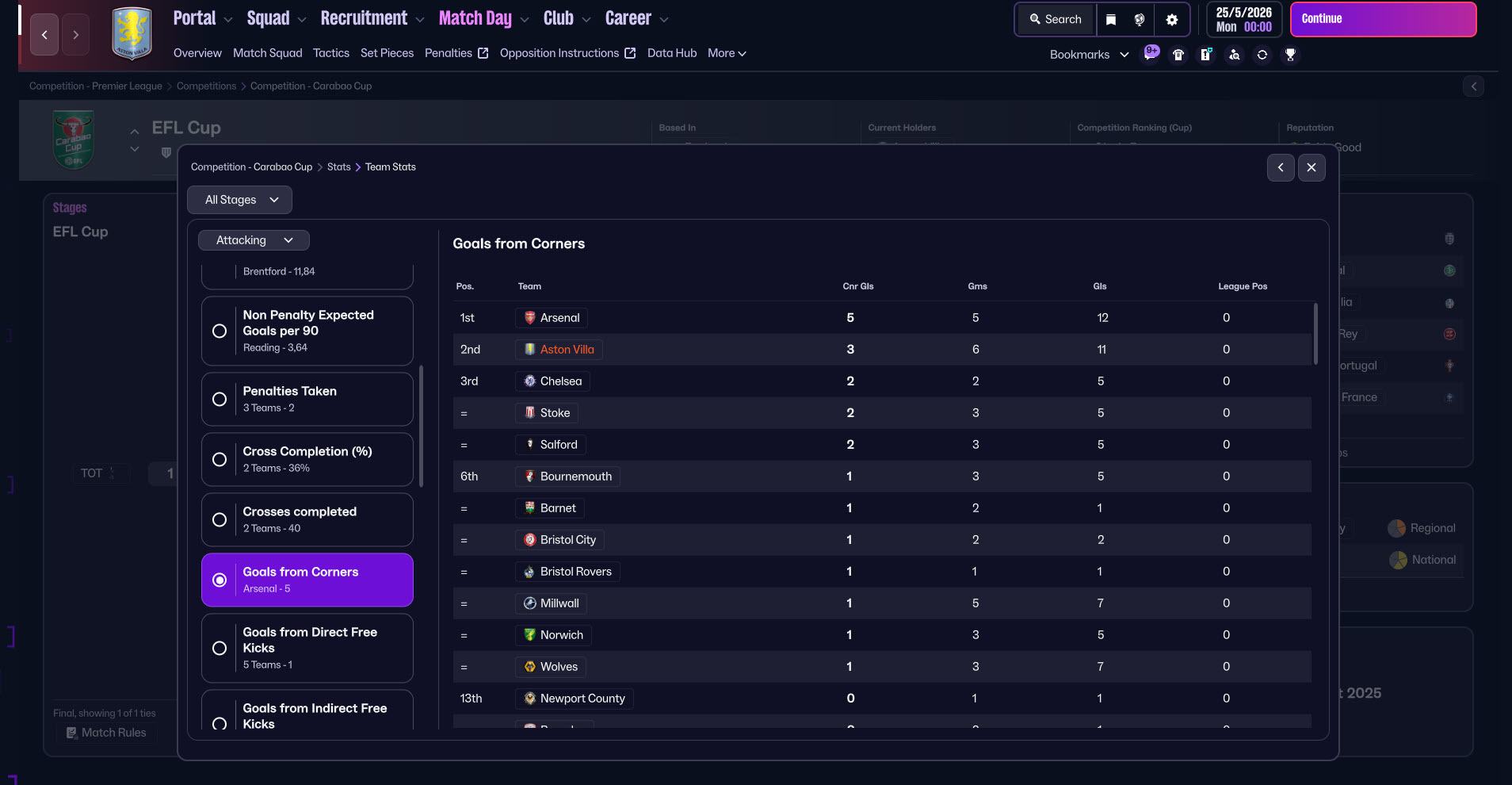
In the EFL Cup, Aston Villa scored 11 goals in 6 matches, with 3 goals coming from corner situations.
These numbers show that the short near-post corner tactic can be a very effective weapon, especially for teams that have strong aerial players and good positioning inside the penalty area.
Corner Tactic Test Results – Brighton
We also tested this corner routine with Brighton & Hove Albion F.C. in the Premier League.
In a one-season simulation, the results were again quite encouraging:
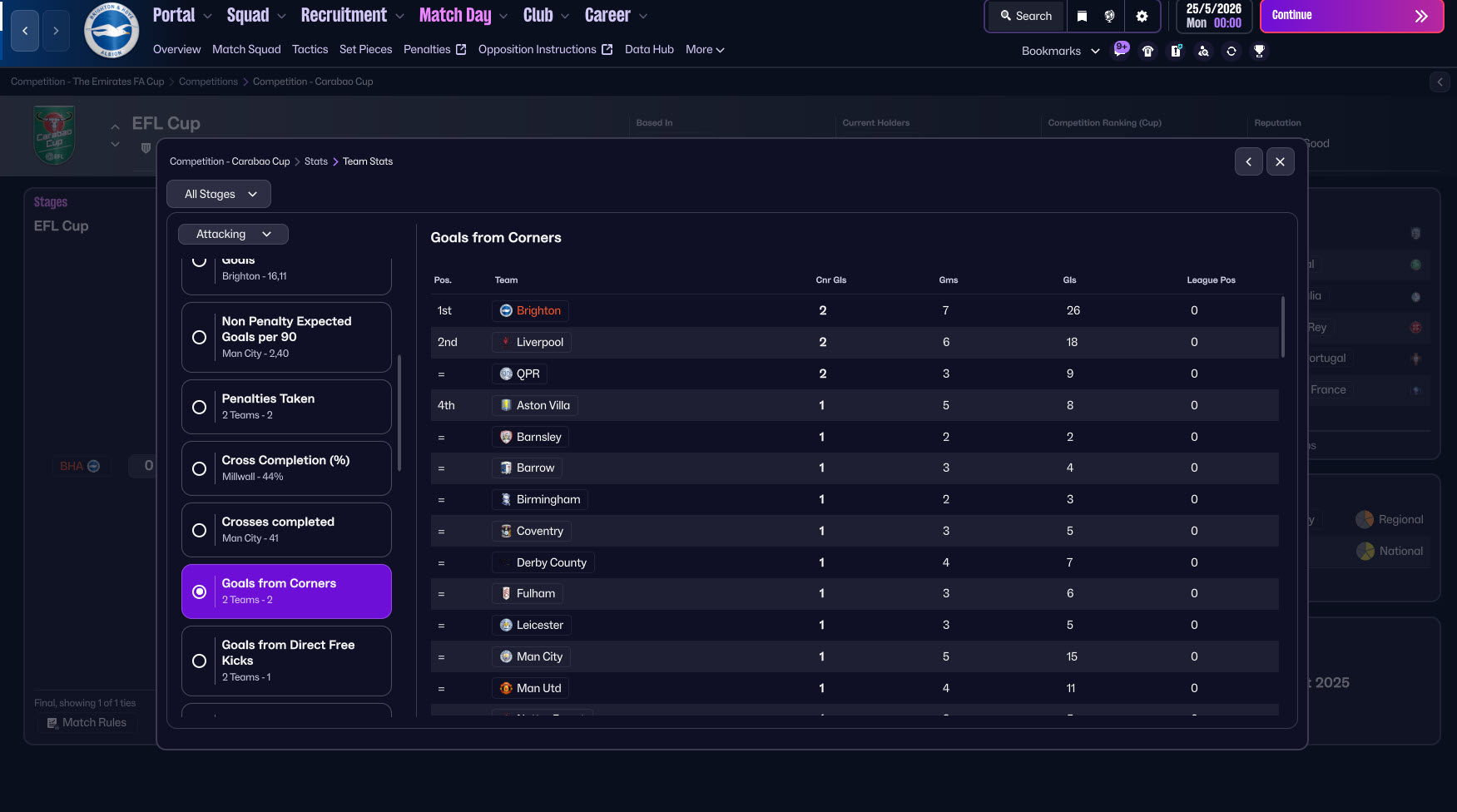
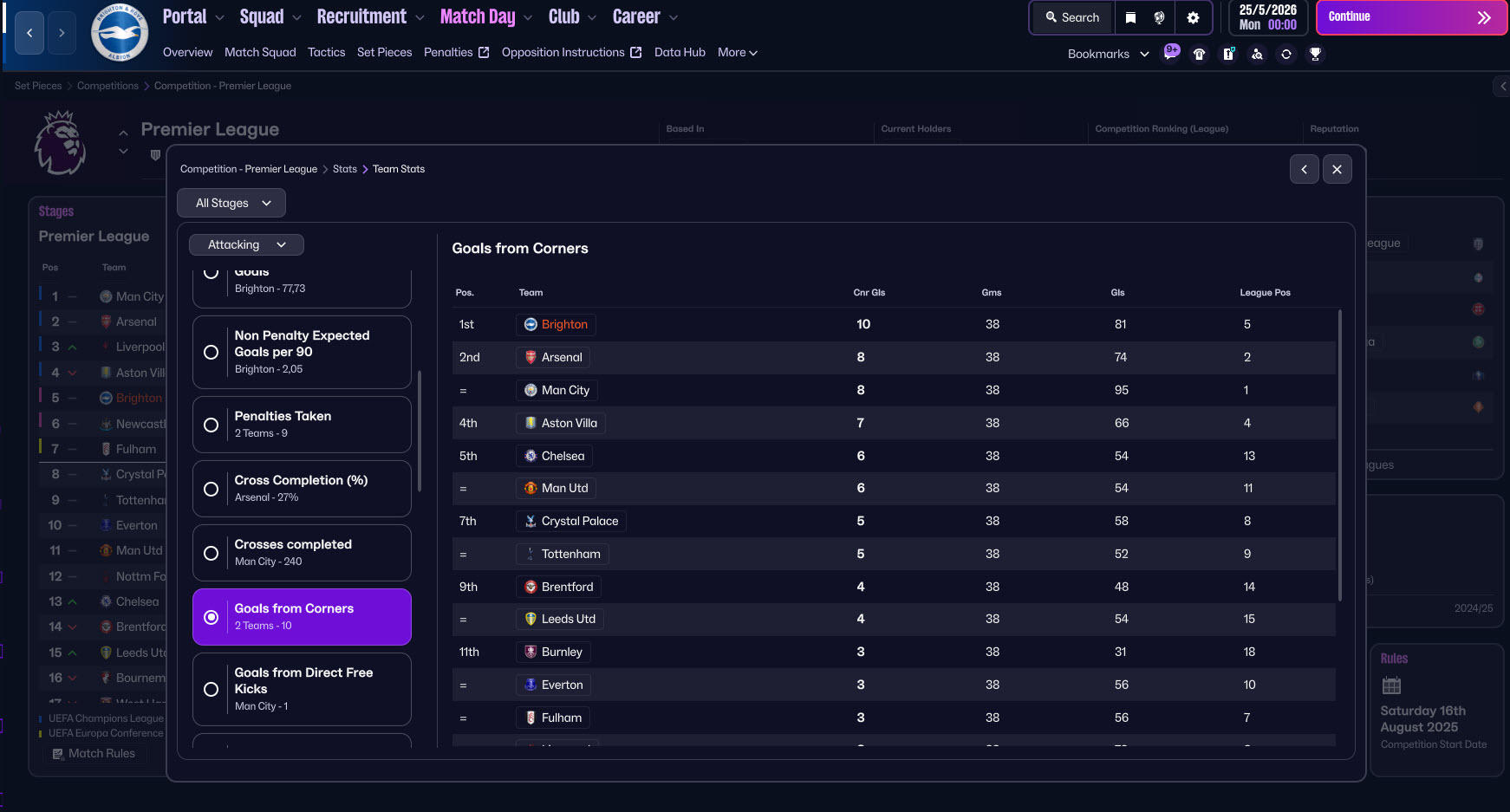
In the Premier League, Brighton scored 81 goals in 38 matches, and 10 of those goals came from corners.
In the EFL Cup, Brighton scored 26 goals in 7 matches, with 2 goals coming from corner situations.
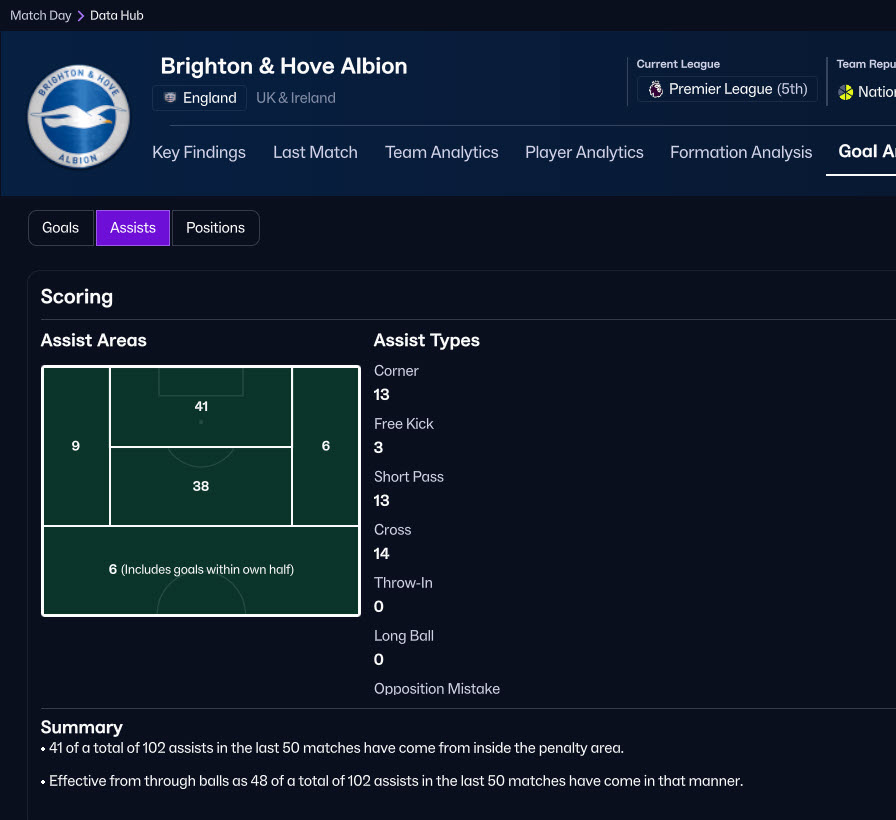
These results from two different teams show that the short near-post corner tactic can consistently create goal opportunities from set pieces in Football Manager 26.
How to install FM26 Corner Routine?
1) First, download the tactics.
Click here to download the tactic.
You need to place the downloaded file into C:/Users/“username”/Documents/Sports Interactive/Football Manager 26/tactics (Documents\Sports Interactive\Football Manager 26\tactics).
Tactics files are usually .fmf files. If the file you downloaded is a .rar file, first extract it to a folder and then place the .fmf file inside the tactics folder.
2- If the tactics folder doesn’t exist in the Sports Interactive\Football Manager 26 folder, create it.
3- Now it’s time to choose your tactics in the game. When you start the game, go to the set pieces section.
If you are entering the set pieces page for the first time, it will first ask you to choose a tactic. After choosing your tactic, when you enter the set pieces page, press the V icon as shown in the screenshot and then press the Load Organization section.
4) Select the file you placed inside the tactics folder for set-piece tactics and press the Upload button. After pressing the Upload button, you will see your new set-piece tactics appear in the field image at the bottom of the screen. After pressing the Upload button, press the X icon on the screen.