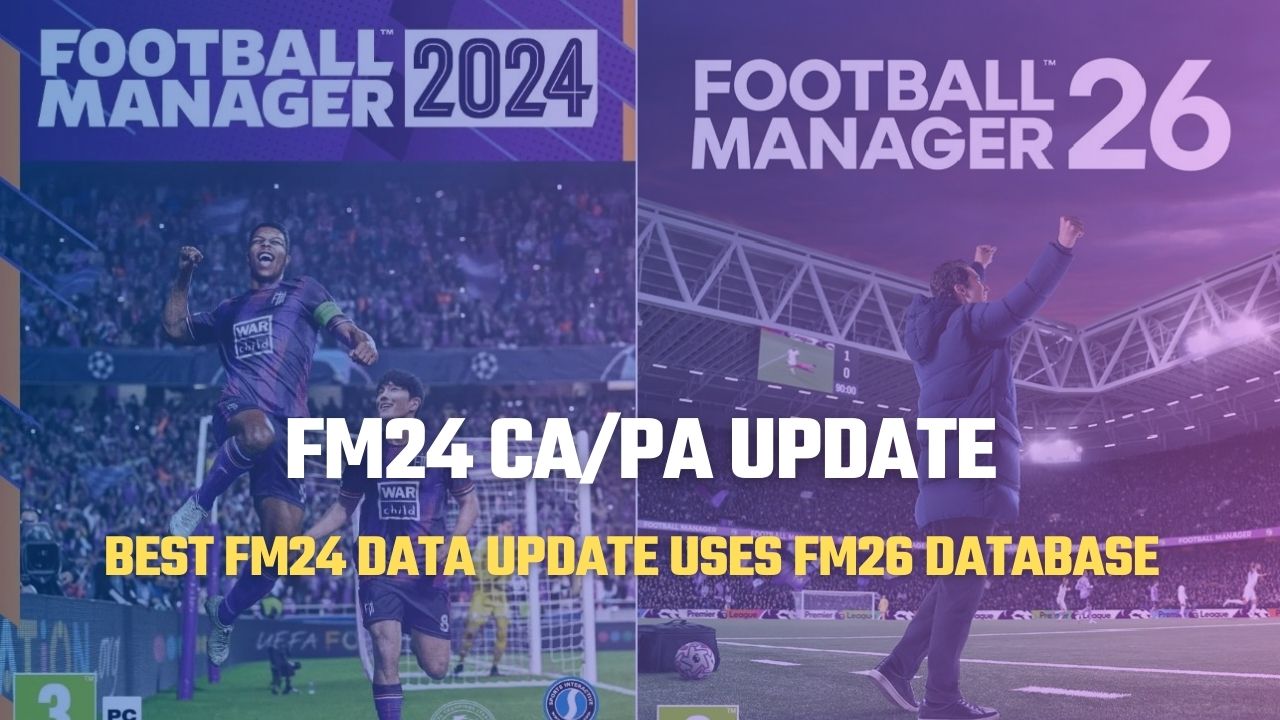

We’re bringing you the ultimate FM24 update that transforms Football Manager 2024 into FM26. By combining the latest 2026/27 season transfers and team updates with the Current Ability (CA) and Potential Ability (PA) ratings from FM26, this patch delivers the most up-to-date Football Manager experience for FM24 players.
The database includes the latest summer transfers, 2026/27 season squads, and updated player CA/PA ratings from FM26, allowing you to enjoy the newest Football Manager content without leaving FM24.
Here are the full details and installation instructions for the FM24 Updated Transfer Patch (2026/27 Season Teams + Summer Transfers + CA/PA Update) that turns FM24 into FM26.
We continue to share the latest transfer patches for Football Manager 2024 players looking to keep their saves up to date. By combining the FM24 Updated Transfer Patch with the FM26 Current Ability (CA) and Potential Ability (PA) database update, we’re bringing the FM26 experience closer than ever to FM24.
This patch imports the Current Ability (CA) and Potential Ability (PA) ratings of more than 40,000 players from Football Manager 2026 into FM24. In addition to the CA/PA changes, player attributes have also been updated to reflect their FM26 profiles.
Player attributes such as Finishing, Passing, Pace, and many others have been adjusted based on their Football Manager 2026 ratings. We’d like to thank 5EDT for developing and maintaining this outstanding database update for the Football Manager community.
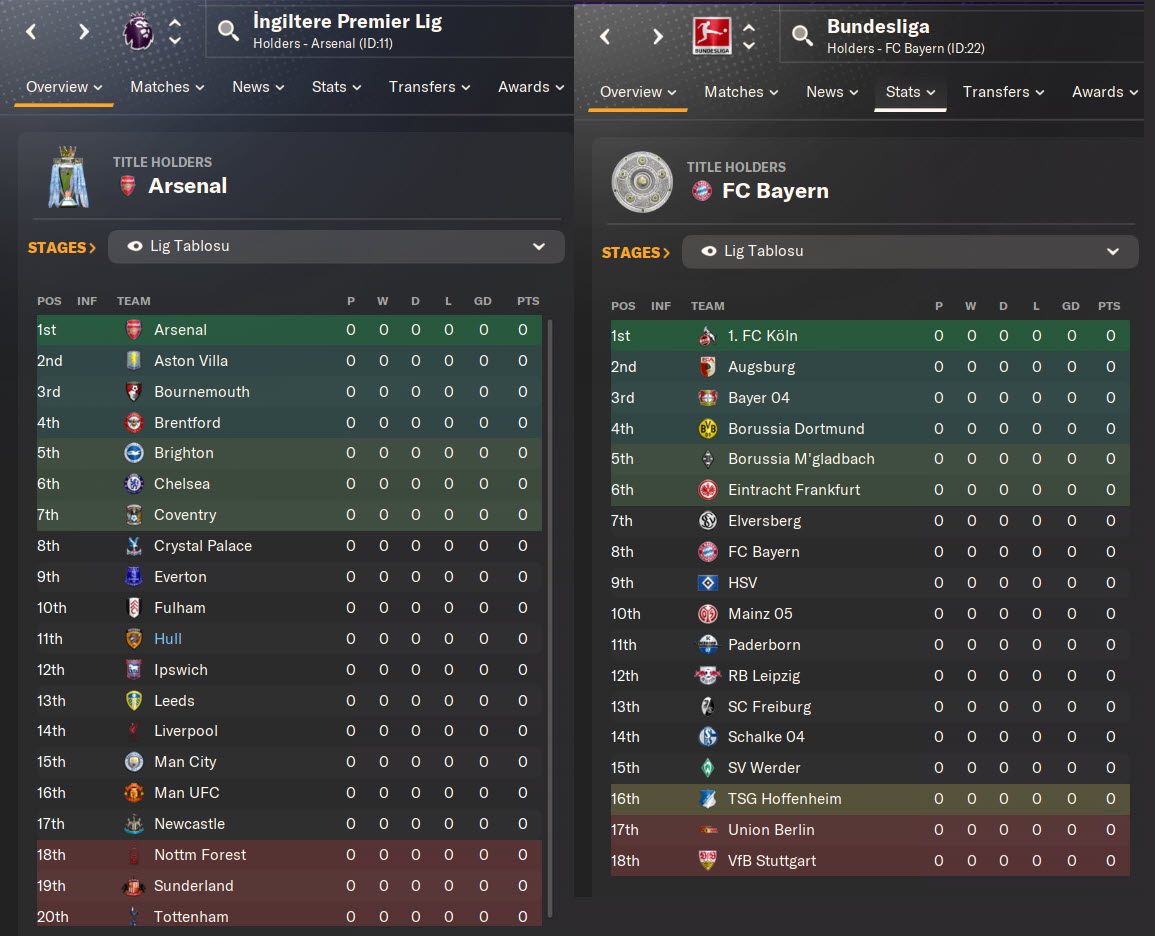
Alongside the FM26 player database updates, this patch also includes the latest 2026/27 season league structures, updated teams, and summer transfers, making FM24 feel more like FM26 than ever before.
Before moving on to the installation guide for the 2026/27 Season Teams + FM24 CA/PA Update Patch, let’s take a look at the updated league structures and compare player profiles between FM24 and FM26 through the screenshots below.
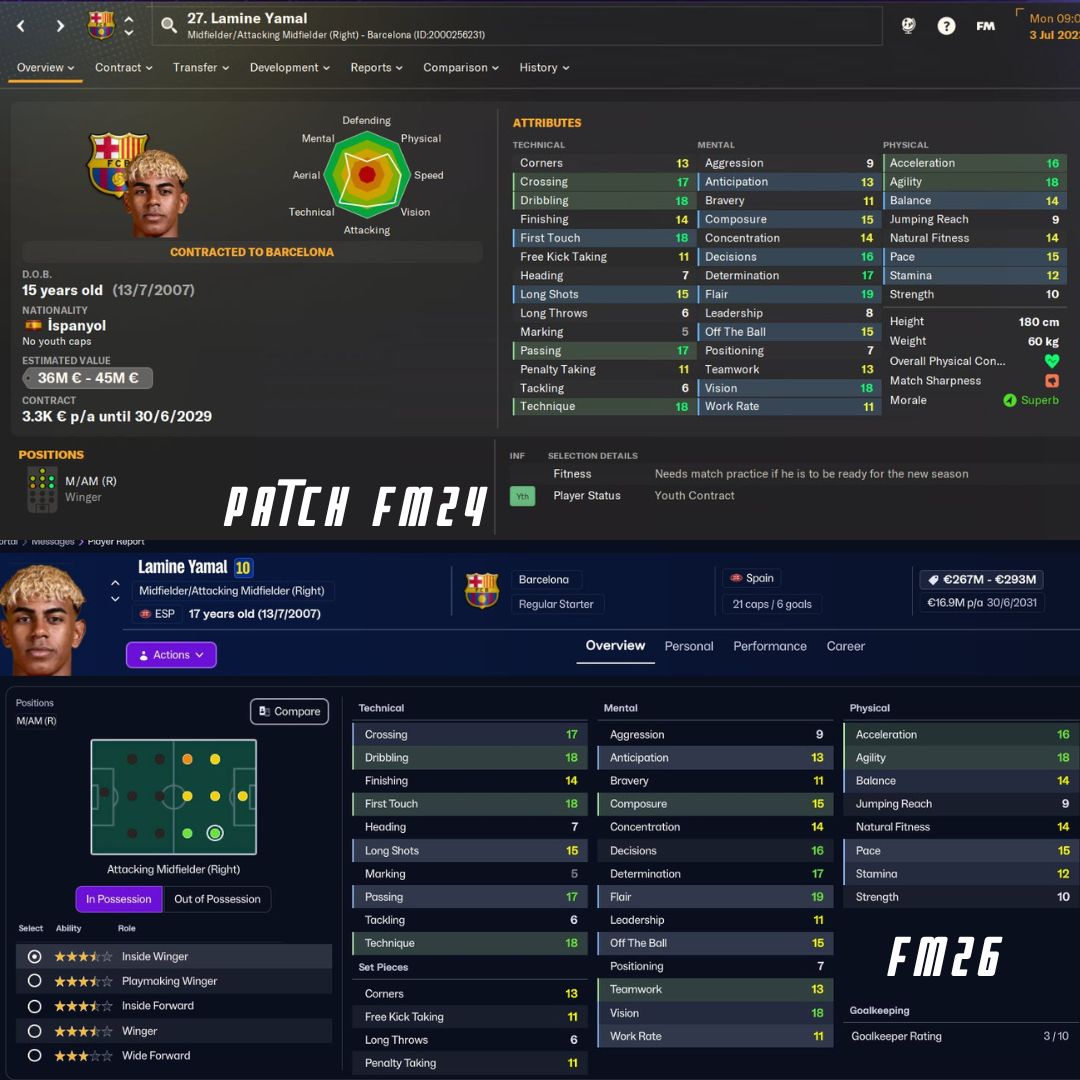
FM24 Player Profiles vs FM26 Player Profiles Comparison
One of the standout features of this patch is that it brings FM26 player profiles directly into FM24. This includes not only updated Current Ability (CA) and Potential Ability (PA) ratings, but also revised player attributes based on their Football Manager 2026 profiles.
You can compare the similarities between the FM24 and FM26 player profiles in the screenshots below and see how closely the patch recreates the FM26 experience in Football Manager 2024.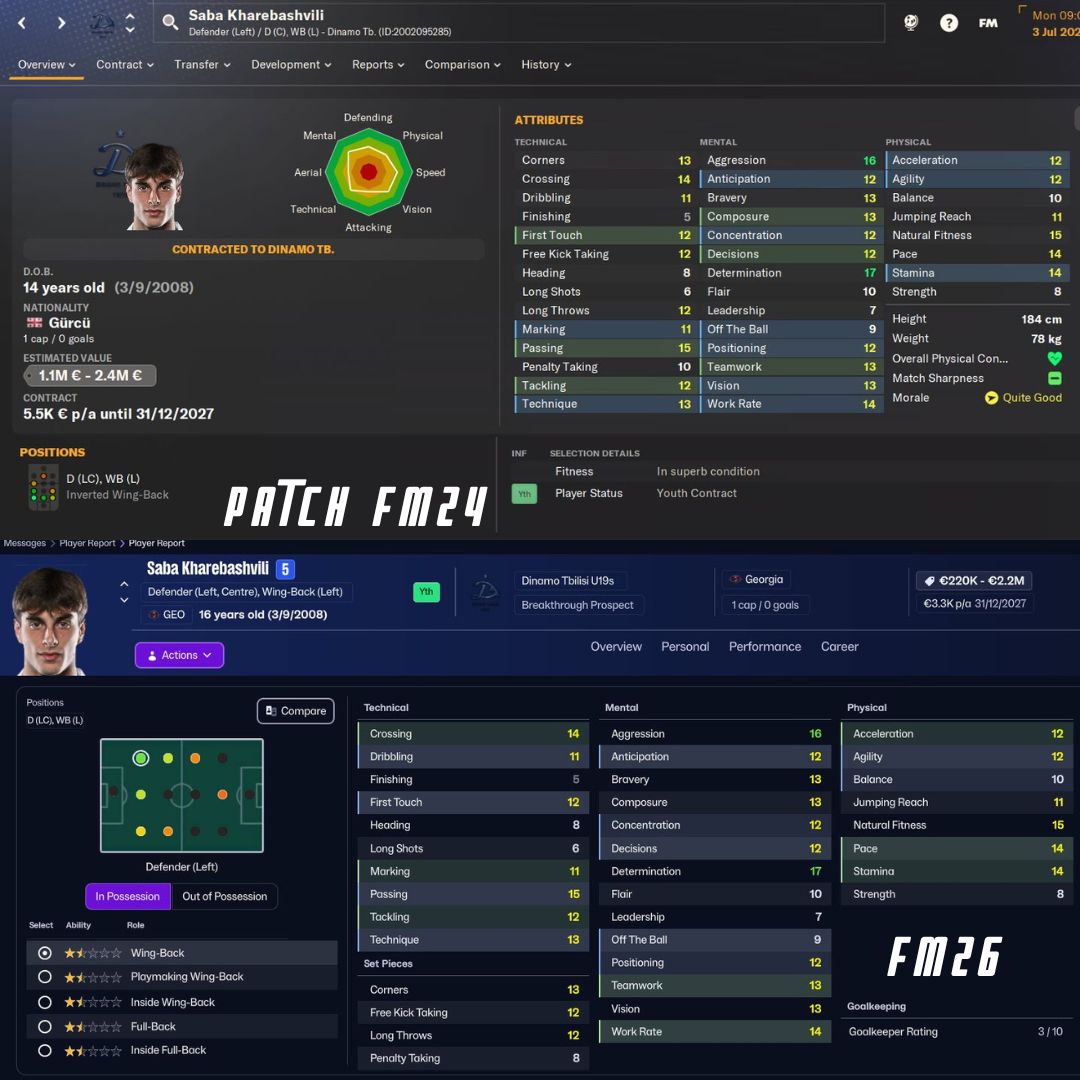
FM24 Updated Transfer Patch Screenshots (2026/27 Season Squads + CA/PA Update)
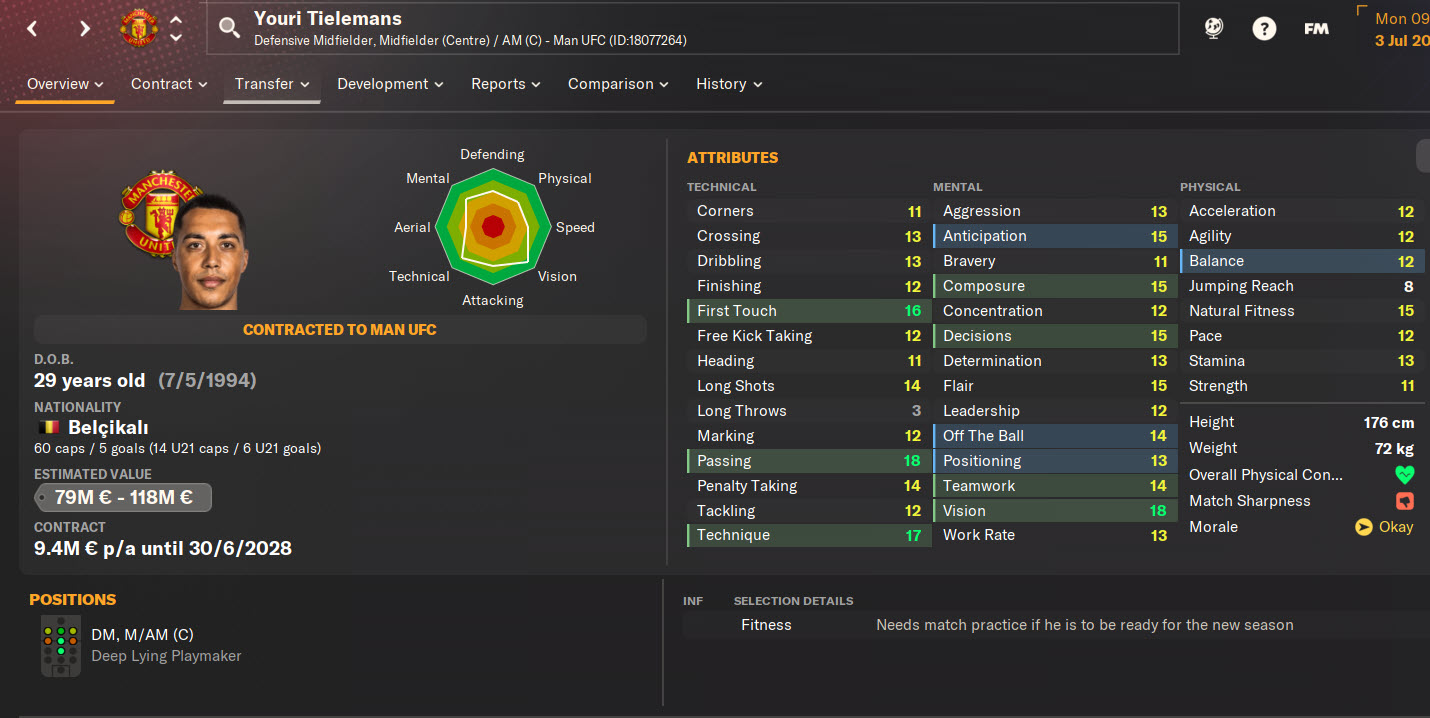
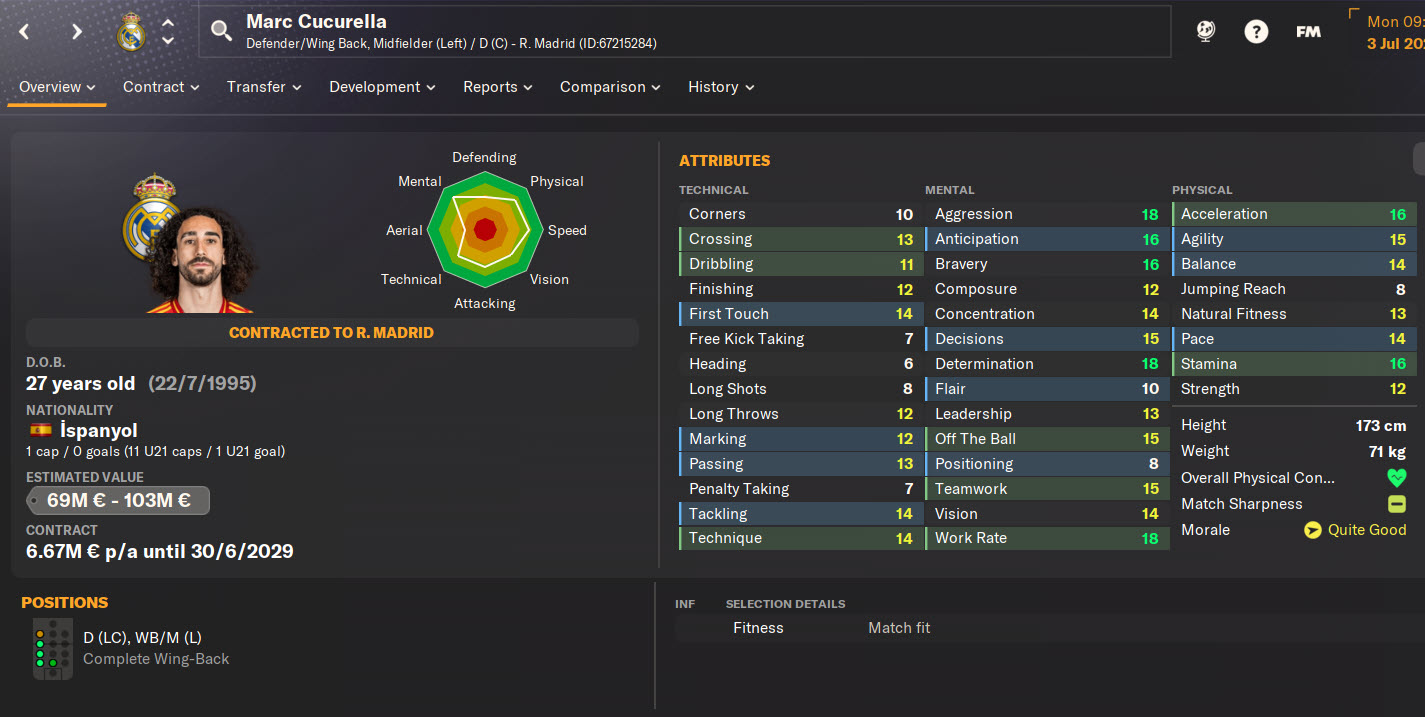
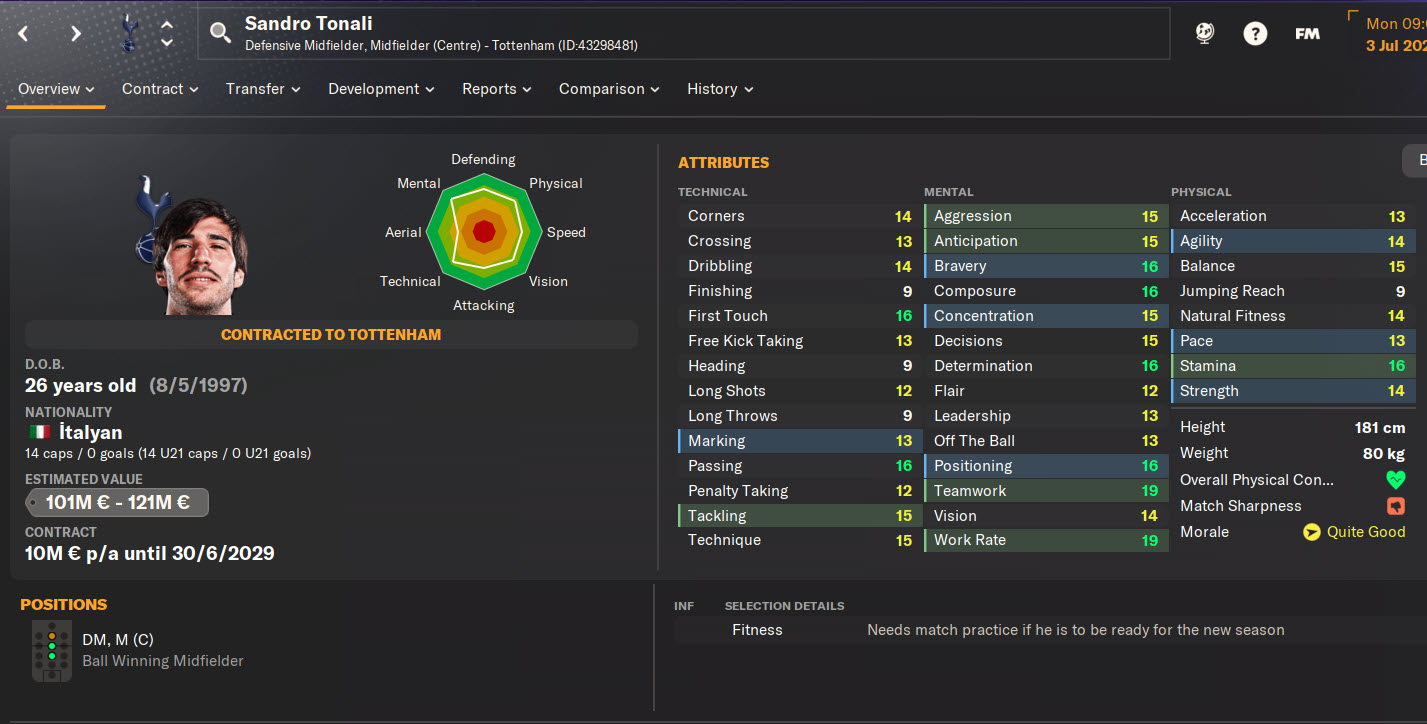
FM24 CA/PA Update + Latest Transfers Patch (40,000+ Player Updates / 300+ New Wonderkids) – Installation Guide
— Updated: July 25, 2026 —
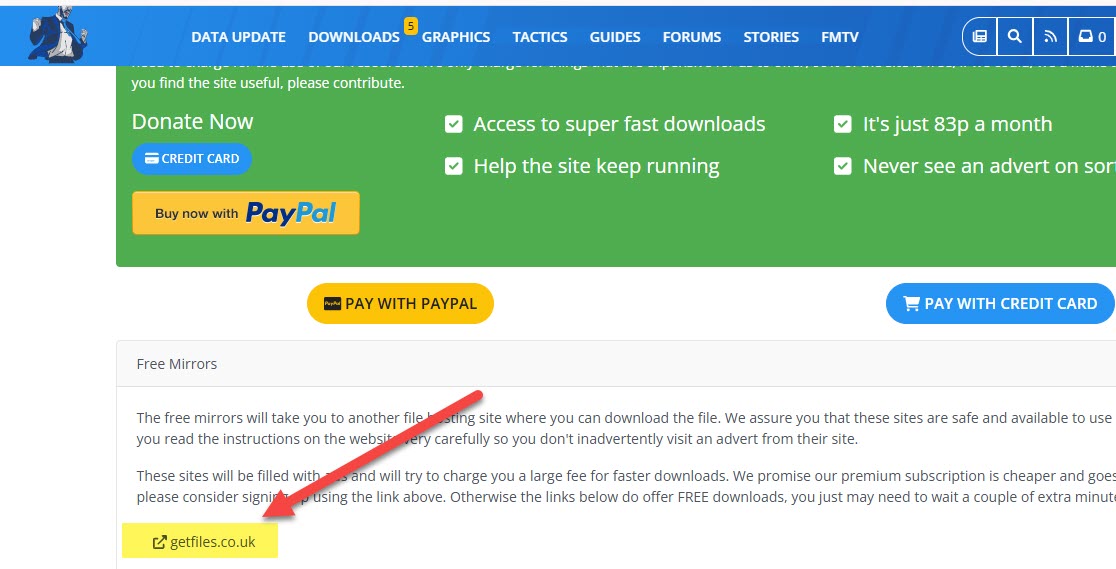
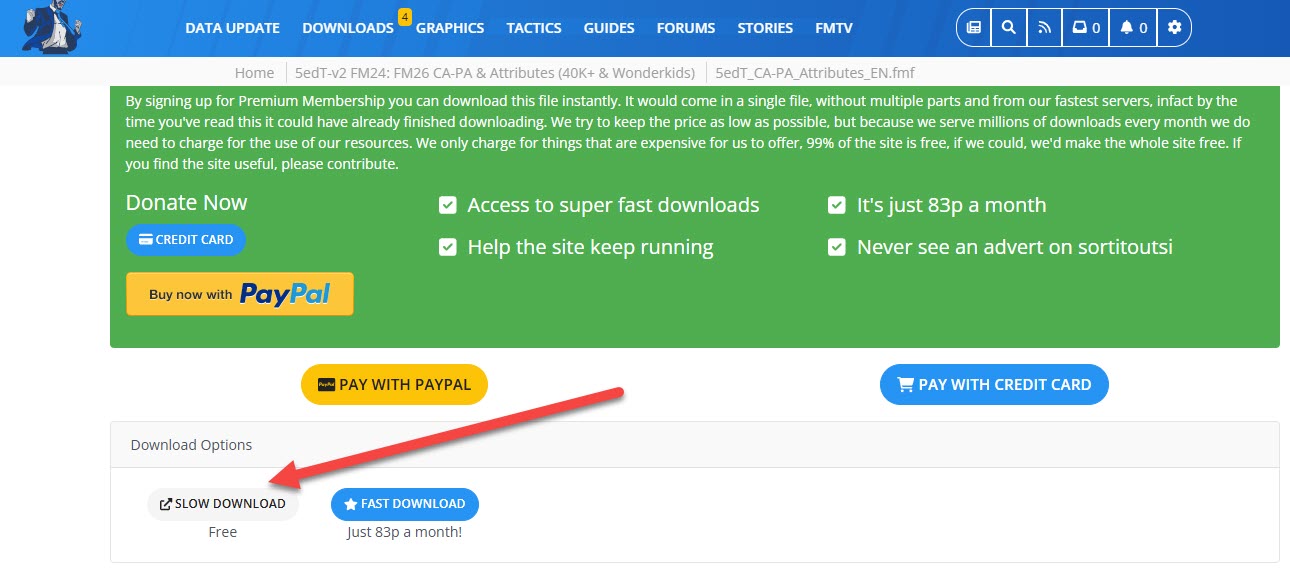
The patch is 100% free. When accessing the download page, make sure to click on the sections labeled “Free Download” or “Slow Download.” These are the correct options to download the files at no cost.
A sample screenshot of the correct download button is shown below for reference.
 1) First, click the 5edT_CA-PA_Attributes_EN link as shown in the screenshot on Sortitoutsi and download this patch. We are downloading this patch to bring updates to players’ current and potential abilities to FM24.
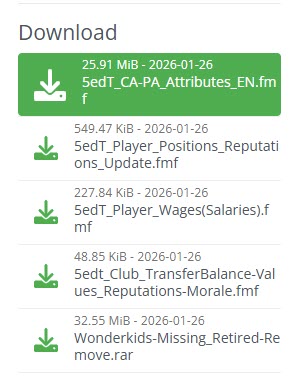
When you download the patch;
- You will have the file 5edT_CA-PA_Attributes_EN.fmf.
You need to place this file into C:/Users/“username”/Documents/Sports Interactive/Football Manager 2024/editor data. (Documents\Sports Interactive\Football Manager 2024\editor data)
2) Now we download the position update so that the positions actively played by players in FM26 are transferred to FM24.
As shown in the screenshot, we download the 5edT_Player_Position_Reputations_Updates.fmf file.
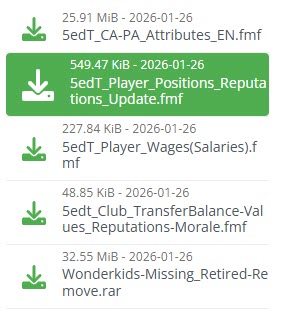
When you download the patch;
- You will have the file 5edT_Player_Positions_Reputations_Update.fmf
You need to place this file into C:/Users/“username”/Documents/Sports Interactive/Football Manager 2024/editor data (Documents\Sports Interactive\Football Manager 2024\editor data)
3) Now it’s time to update the players’ reputation, morale, and market value in FM24. To do this, we download the 5edT_CLUB_TransferBalance-Values_Reputations-Morale file as shown in the screenshot.
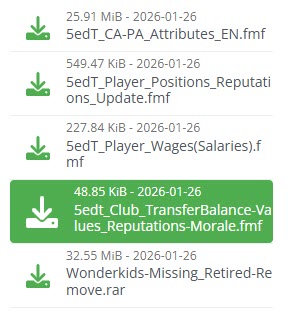
When you download the patch;
- You will have the file 5edt_Club_TransferBalance-Values_Reputations-Morale.fmf
You need to place this file into C:/Users/“username”/Documents/Sports Interactive/Football Manager 2024/editor data (Documents\Sports Interactive\Football Manager 2024\editor data)
4) To add wonderkid players to FM26 who are not present in FM24, we also need to download the wonderkid file.
To do this, download the Wonderkids-Missing_Retired-Remove file as shown in the screenshot. (Click on the one that says “Slow download,” meaning it’s free.)
— This file may conflict with the Sortitoutsi files you will download later. The problem of some young players appearing twice in the game is due to this file. If you encounter such a problem with the team you are playing a career with, you can skip downloading this file.
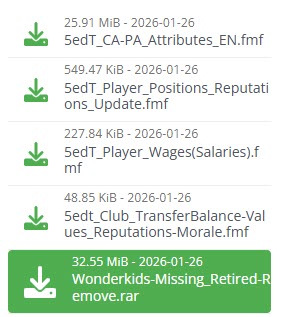
After downloading the patch, extract it to a folder using a file extraction program like WinRAR. Of the extracted files, only the
- 5edT_Wonderkids_Missing_Update.fmf
file needs to be placed in the following location: C:/Users/“username”/Documents/Sports Interactive/Football Manager 2024/editor data (Documents\Sports Interactive\Football Manager 2024\editor data).
The folder also contains the Retired-Remove_ETC_Changes.fmf file, which removes player injuries and retired players from the game database, but you don’t need to use it.
This folder also contains the face patch for the newly added wonderkid players. If you are not using an up-to-date face patch, you can also use this face pack.
5) Now it’s time to bring the updated player salaries from FM26 to FM24.
To do this, we download the 5edT_Player_Wages(Salaries) file as shown in the screenshot.
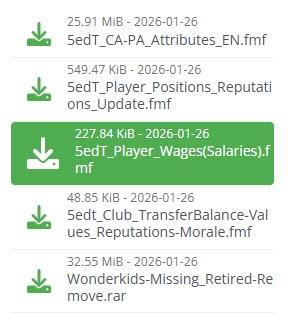
When you download the patch;
- You will have the file 5edT_Player_Wages(Salaries).fmf.
You need to place this file into C:/Users/“username”/Documents/Sports Interactive/Football Manager 2024/editor data. (Documents\Sports Interactive\Football Manager 2024\editor data)
6) Now you need to download the latest transfer patch.
Click here to download the latest FM24 transfer patch
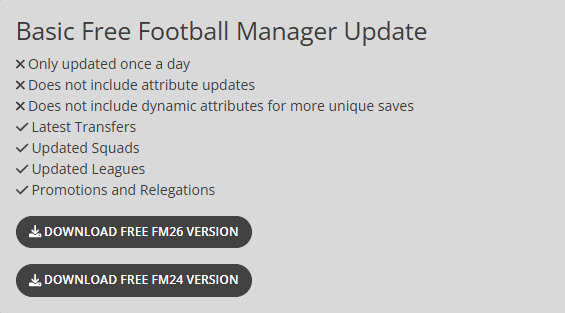
On Sortitoutsi, click on the section that says “Download Free FM24 Version” as shown in the screenshot.
First, extract the file you downloaded from Sortitoutsi to a folder using a file extraction program such as WinRAR. Then, place all the extracted files into the following location: C:/Users/“username”/Documents/Sports Interactive/Football Manager 2024/editor data (Documents\Sports Interactive\Football Manager 2024\editor data).
7) Now open Football Manager 2024 and follow the steps below one by one.
8) First, you need to set the game language to ENGLISH during the installation process. To do this, click the Preferences button on the main page, select ENGLISH in the section where it says game language, and click the Confirm button. A notification message will appear saying “Changing Theme,” and your game language will be English. (After setting up your career, you can play the game again with your DESIRED LANGUAGE OPTION.)
9) Press the “Start A New Game” button.
10) Press the “Career” button.
11) Click on “Database 24.3.0 Update” in the upper right corner of the screen. You will see a total of 65 files in the editor files section. Of these files:
- If you don’t want the players’ birth dates to change by +2 years, uncheck the box next to the file that says “FM24 Data Update – +2 Age and Contract Years”. If the game starts in 2023 but the players’ real ages aren’t in the game, don’t uncheck this box.
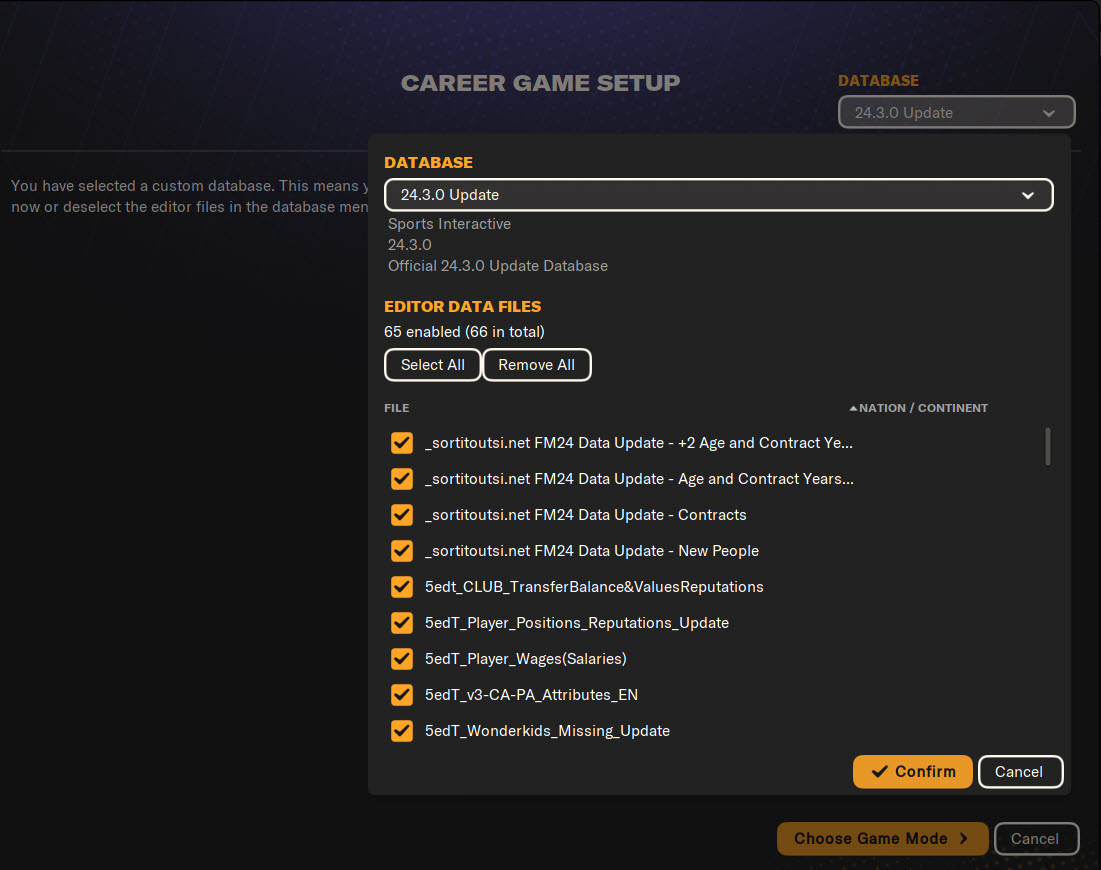
3) Press the Confirm button and then press the Choose Game Mode button.
14) Select Original and press the Advanced Setup button.
15) Select the leagues you want to play in and press the Start Game button.
16) After the database setup for the game is complete, select your manager profile and choose the team you want to manage.
17) Now it’s time to set the game language back to YOUR DESIRED LANGUAGE OPTION. Press the FM logo in the upper right corner and click on Preferences on the screen that appears.
18) On the screen that appears, select your DESIRED LANGUAGE in the Game Language field and press the Confirm button.
19) You have activated the CA/PA update + new wonderkids + current transfer patch for FM24. Have a successful career!