

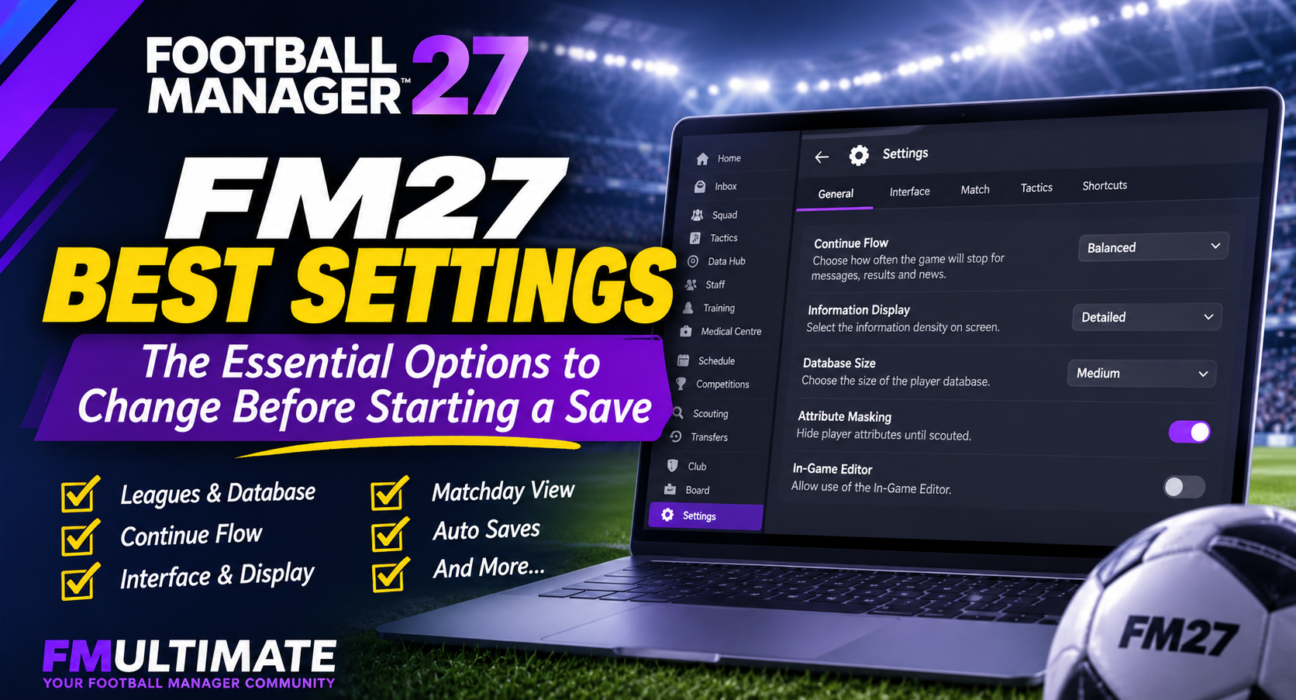
Football Manager 27 gives you more control over how you experience the game, but not every default setting will suit your preferences. Some options can make your seasons move faster, others help you follow more of the football world, while a few can make everyday management considerably more comfortable.
Whether you enjoy analysing every detail, prefer a faster career or simply want a cleaner interface, the right configuration can make a noticeable difference over a long-term save.
In this guide, we’ll look beyond the basic career setup and focus on the FM27 settings worth reviewing: from Continue Flow and interface customisation to matchday preferences, scouting options and save protection. We’ll also explain which settings we recommend and when it makes sense to choose something different.
Here are the FM27 settings we recommend reviewing before starting a new save. You should also check our FM 27 Beginner’s Guide
1. Choose the Right Leagues for Your Career
One of the most important decisions happens before you even select your club: choosing which leagues to include in your football world.
It can be tempting to load as many countries and divisions as possible. A larger football world creates more opportunities, but it also increases the amount of information the game needs to process.
Instead of selecting every available league, think about the career you want to build.
Still deciding which club to manage? Take a look at our FM27 Teams to Manage guide for career ideas across different leagues and levels of football.
For a one-club career
Prioritise the country and divisions where your club plays. Add a few relevant recruitment markets if you regularly plan to sign players from abroad.
For a journeyman save
Include countries where you would realistically consider taking a job. Loading additional playable divisions can create more opportunities as your managerial reputation grows.
For a youth development save
Think about the leagues and countries that are relevant to your recruitment strategy. A wider player pool can be useful, but it should still have a purpose.
Remember that playable and view-only leagues are not the same. Playable leagues allow you to manage clubs in those competitions, while view-only leagues let you follow their progress without making them available as managerial destinations.
Our recommendation: Start with the leagues you genuinely need. You can build a more focused save without sacrificing the parts of the football world that matter to your plans.
2. Find the Right Database Size
Your database determines how many players are available in your save. A larger database can offer more recruitment options, but it can also increase processing demands.
The best choice depends on your computer and the type of club you intend to manage.
- Smaller database: A sensible option for lower-powered PCs or careers with a limited recruitment focus.
- Medium database: A balanced starting point for most managers.
- Larger database: Worth considering if you have a capable PC and want a broader pool of players to scout.
Do not choose the largest database simply because it sounds better. If you manage a club with a limited budget, loading thousands of players you could never realistically sign may not add much value.
Pay attention to the estimated player count and the game speed indicator during setup. These provide useful guidance, although actual processing times will depend on your hardware and the size of your football world.
Our recommendation: Begin with a medium-sized database and expand your player pool only when your career plans justify it. If you are unsure how your PC will handle the setup, create a short test save before committing to a long-term career.
3. Review the Advanced Setup Options
The advanced options are worth checking carefully. Some choices affect the rules and atmosphere of your career from the beginning.
Allow Player Attribute Masking
With attribute masking enabled, you will not automatically have complete knowledge of every player’s attributes. Scouting and your club’s knowledge become more important when assessing potential signings.
Turning it off gives you access to player attributes without the same scouting restrictions.
Recommended setting: ON
We recommend keeping attribute masking enabled if you want scouting to play a meaningful role in recruitment. It makes discovering players part of the managerial experience rather than simply browsing a database.
If you prefer to compare players directly and spend less time scouting, turning it off is a reasonable alternative.
Allow First Transfer Window Activity
This setting determines whether clubs can make transfers during the first transfer window of your save.
Leaving it enabled gives you the freedom to reshape your squad immediately. Disabling it creates a different kind of challenge, as you begin with the players already at your club and have to work with what you inherit.
Recommended setting: Depends on your save
Keep it enabled if you want to rebuild your squad from day one. Turn it off if you want a more restrictive opening season or prefer to assess your squad before making changes.
Use Fake Players and Staff
This option replaces real players and staff with generated alternatives.
For most Football Manager players, keeping the real football world is part of the appeal. We recommend leaving this option disabled unless you specifically want a fictional football universe.
Recommended setting: OFF
Allow Use of the In-Game Editor
If you own the In-Game Editor and want to use it during your career, make sure this option allows its use when creating the save.
If you prefer to keep your career untouched by editing tools, you can disable access.
Recommended setting: Personal preference
Think about this before starting. If you want the option to use the editor later, check the setting during career creation rather than discovering it after you have invested hours in your save.
Additional Staff and Squad Options
FM27 also provides options related to the football world and playable teams, including adding key staff and players to playable teams.
These can help populate teams and staff structures in your selected game world. They are worth reviewing if you are starting a save in a less familiar league or want a more complete environment.
There is no need to enable every additional option automatically. Consider what your chosen career requires.
4. Set Your Continue Flow Preferences
One of FM27’s important quality-of-life features is Continue Flow.
Rather than simply moving through the calendar in the same way every time, FM27 gives you more control over how often you stop to review messages, results, fixtures and news.
You can choose between three presets, as well as a Custom option.
Streamlined
Streamlined reduces interruptions and helps you move through the calendar more quickly.
It is a good choice if you mainly want to focus on matches, training and transfers without stopping for every update.
Balanced
Balanced offers a middle ground between receiving information and maintaining a steady pace.
Recommended setting: BALANCED
For most players, this is the best place to start. You receive regular updates without making every week feel unnecessarily slow.
Comprehensive
Comprehensive provides more frequent stops and gives you more opportunities to follow developments across the football world.
Choose it if you enjoy reading news, checking results and keeping track of what is happening beyond your own club.
Custom
If none of the presets feels right, Custom lets you adjust how often the game stops for different types of information, including messages, results, fixtures and news.
You can also configure how the Continue button behaves in relation to unread messages.
Our recommendation: Start with Balanced. After a few weeks in your save, decide whether you want fewer interruptions or more information. You can adjust these preferences as your career progresses.
If you want to explore the changes to navigation and the new interface in more detail, read our FM27 New UI guide.
5. Optimise Your Interface and Display Settings
FM27 introduces several improvements to navigation and interface customisation. Taking a few minutes to adjust them can make everyday management more comfortable.
Open the Preferences menu and review the available information display options.
Choose Your Information Display
FM27 provides three information display modes:
- Default: The standard layout, with larger interface elements.
- Detailed: Displays more information on screen.
- Condensed: Fits a higher volume of information into the available space.
The best option depends on your monitor and how comfortably you can read player attributes, contract details and squad information.
Detailed and Condensed are particularly useful if you prefer information-rich screens. However, a smaller layout is not automatically better. If you struggle to read important details, Default may be the more practical choice.
Note that these alternative scaling modes are available on QHD and 4K monitors (1440p and above).
Our recommendation: Try Detailed if you want more information visible at once. Keep Default if readability is more important than screen density.
Customise Your Landing Screens
FM27 allows you to choose where certain primary navigation sections take you.
For example, if you regularly go straight to your first-team squad, you can adjust the Squad landing destination to reduce unnecessary navigation.
This is a small change, but it can save time over a long career.
Organise Bookmarks and Shortcuts
Bookmarks can help you reach important screens quickly. FM27 also allows you to add text descriptions and rearrange their order.
You can also remap keyboard shortcuts through Preferences.
We recommend prioritising the screens you visit most often, such as your squad, tactics, recruitment and training areas. There is no need to fill every available shortcut or bookmark.
6. Set Up Your Matchday View
Your matchday preferences should reflect how you enjoy watching football in Football Manager.
Some managers want to follow every movement on the pitch. Others prefer a more cinematic presentation and focus on the overall flow of the match.
FM27 offers different ways to view the action, so spend a little time testing the available options.
Try the 2D Match View
If tactical visibility is your priority, give the 2D match view a try.
It can make it easier to follow player positions, spacing and movement across the pitch. This is particularly useful when analysing your team’s shape or checking how your tactical instructions work in practice.
However, the best view is ultimately the one that helps you understand what is happening during a match.
Customise the Matchday Interface
FM27 also supports tile swapping in the matchday interface.
Rather than keeping every information panel in its default position, you can adjust the available tiles to focus on the details that matter to you.
For example, you may want easier access to tactical information or other match details while watching your team.
Avoid filling the screen with information you rarely use. A cleaner layout can make it easier to concentrate on the match itself.
7. Protect Your Save with Regular Auto Saves
Few things are more frustrating than losing progress in a long Football Manager career.
An unexpected crash, power interruption or other technical issue can put hours of progress at risk. That is why we recommend checking your save preferences before getting too far into a new career.
Enable automatic saving and choose a regular frequency.
Our recommendation:
- Auto save frequency: Weekly
- Number of rolling auto save files: 3
Using multiple rolling files gives you older recovery points if your latest save becomes unusable or you need to return to an earlier stage.
You should also keep a separate manual save before major decisions, such as important transfer negotiations or significant changes to your squad.
Do not rely on a single save file for a career you intend to play for several seasons.
8. Our Recommended FM27 Settings at a Glance
If you want a quick starting point, use the following recommendations and adjust them to suit your career.
| Setting | Recommended Starting Point |
|---|---|
| Playable leagues | Your starting country and relevant destinations |
| View-only leagues | Countries you want to follow |
| Database size | Medium |
| Player Attribute Masking | On |
| First Transfer Window Activity | On, unless you want a restricted start |
| Fake Players and Staff | Off |
| In-Game Editor | Personal preference |
| Continue Flow | Balanced |
| Information Display | Default or Detailed |
| Landing Screens | Customise frequently used sections |
| Bookmarks and Shortcuts | Prioritise your most-used screens |
| Match View | Choose based on tactical visibility and preference |
| Auto Save | Weekly |
| Rolling Auto Save Files | 3 |
These are starting recommendations, not rules. A large database may be ideal for one career and unnecessary for another. The same applies to Continue Flow, match presentation and interface density.
Final Thoughts: Build a Save That Suits Your Style
The best FM27 settings are the ones that make your career more enjoyable without adding unnecessary complexity.
You do not need to change every option before starting. Focus on the decisions that have the biggest impact: your playable leagues, database size, advanced career rules and Continue Flow preferences.
Once your save is underway, spend some time exploring the redesigned Preferences menu. FM27 gives you more control over navigation, information display and the way you move through the football calendar.
Get the foundations right, protect your save with regular backups, and you will be ready to focus on what really matters: building a successful team.
If you are still preparing for your first career, check out our FM27 Beginner’s Guide for more advice on setting up your save and getting started.
Daha az göster